
Expert
UX Design Case Study
What is Expert?
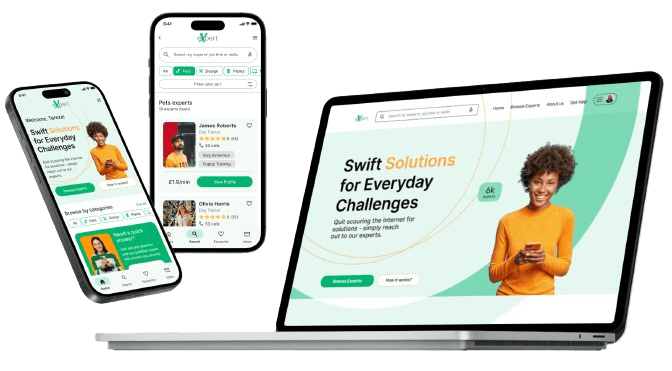
Expert is a web application that I created during my UX Design course at Careerfoundry. The goal of this app is to offer users a way to connect with an expert from almost any field and get advice to their problems.
Expert is a web application that I created during my UX Design course at Careerfoundry. The goal of this app is to offer users a way to connect with an expert from almost any field and get advice to their problems.
My role:
UX Researcher
UX Designer
UI Designer
UX Researcher
UX Designer
UI Designer
Duration:
7 months
7 months
Tools:

Figma

Google Forms

Optimal Workshop

Lyssna
Case Summary

Background
We all need expert advice sometimes when dealing with our problems. Long online browsing and how-to videos don’t always cut it.
A web app with various verified experts would offer users a way to connect with experts and get their problems solved.
We all need expert advice sometimes when dealing with our problems. Long online browsing and how-to videos don’t always cut it.
A web app with various verified experts would offer users a way to connect with experts and get their problems solved.

Problem Statement
Our users need a way to get quick and affordable advice on everyday problems because they find in person appointments too expensive and online searches time-consuming and often unhelpful.
Our users need a way to get quick and affordable advice on everyday problems because they find in person appointments too expensive and online searches time-consuming and often unhelpful.

Potential Solution
A responsive web app that allows users to contact an expert or post any question and get their answers. Users can choose an expert tailored to their needs and connect with them via video call to get advice on their problems.
A responsive web app that allows users to contact an expert or post any question and get their answers. Users can choose an expert tailored to their needs and connect with them via video call to get advice on their problems.
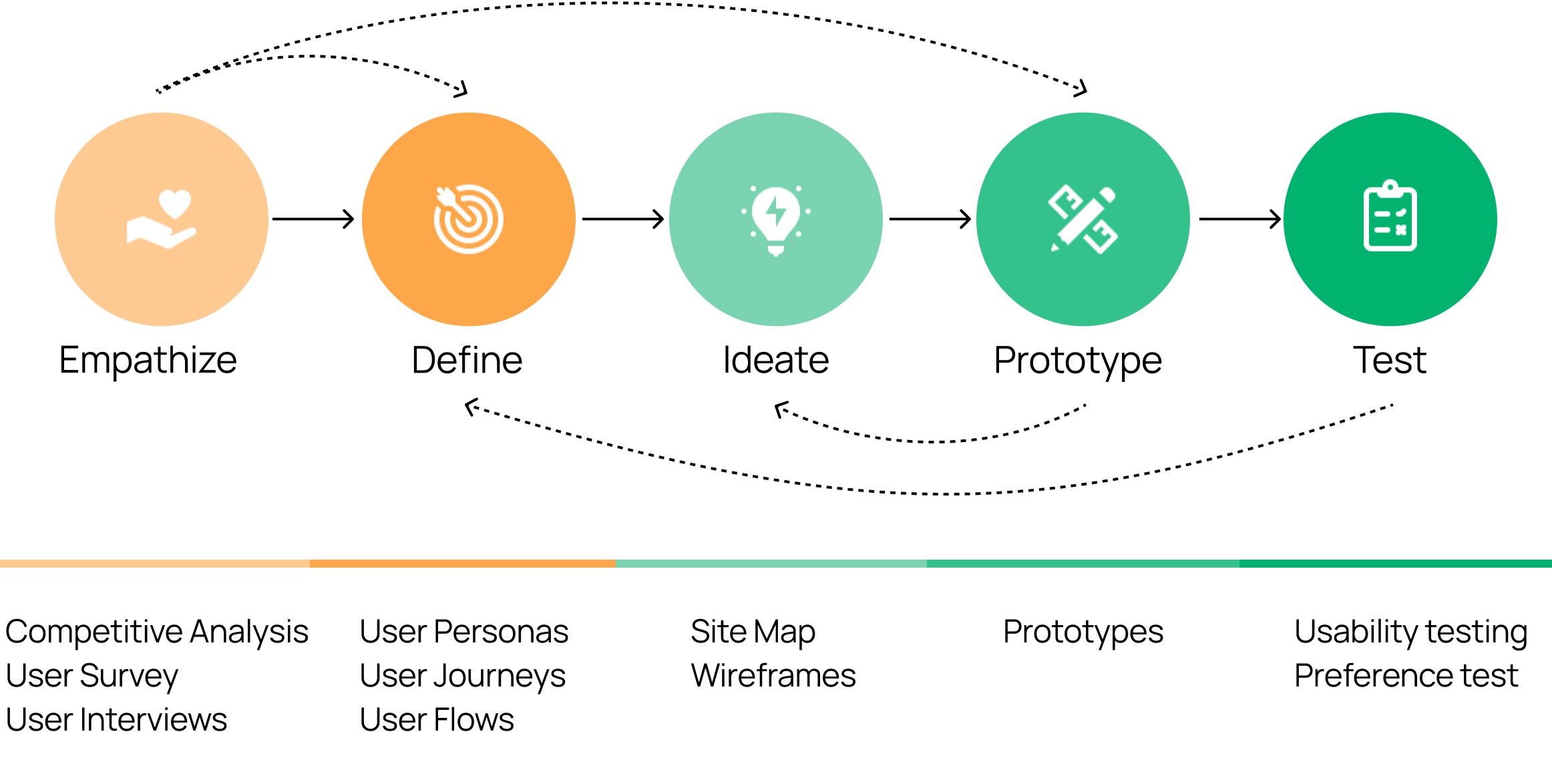
Design Process
Competitive Analysis
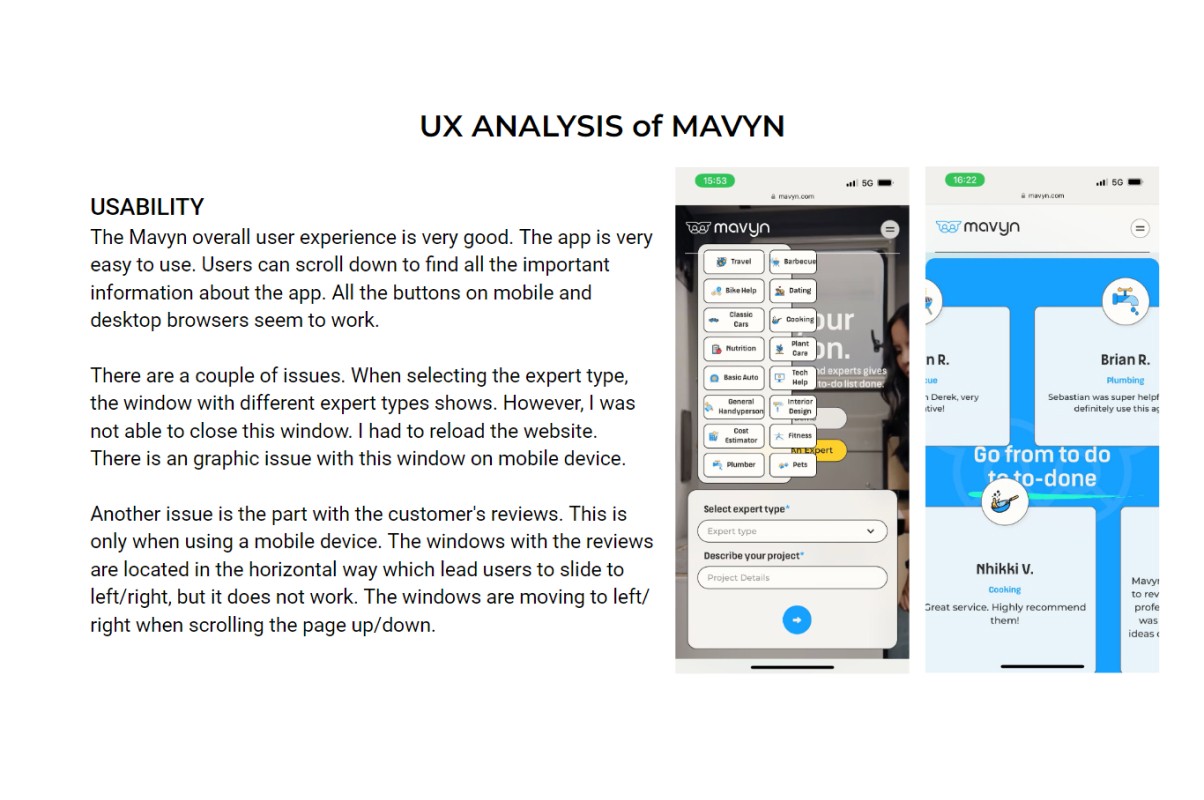
To tackle this problem, I started to gather information through research. As this problem was not new to people, I looked into existing solutions and identified 2 main competitors, JustAnswer and Mavyn.
Then I used SWOT profiles and UX analysis which helped me quickly uncover gaps and opportunities to stand out and offer users better solutions.
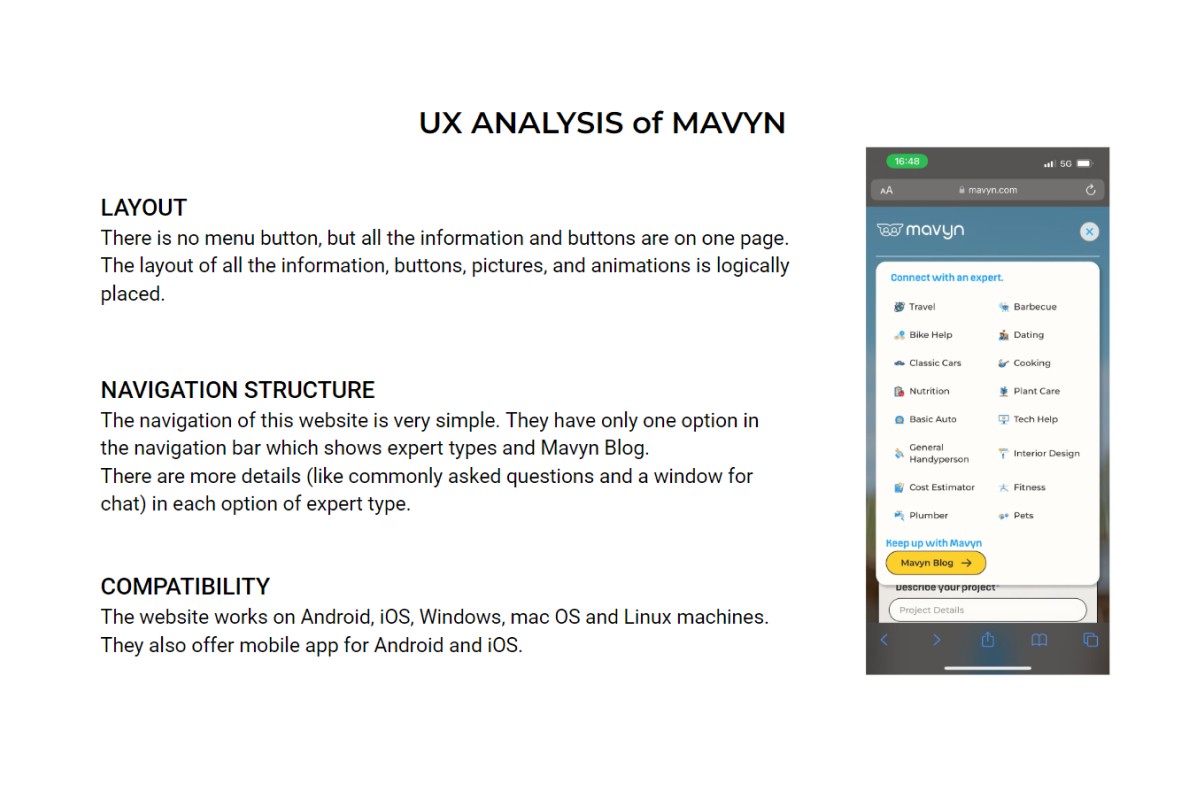
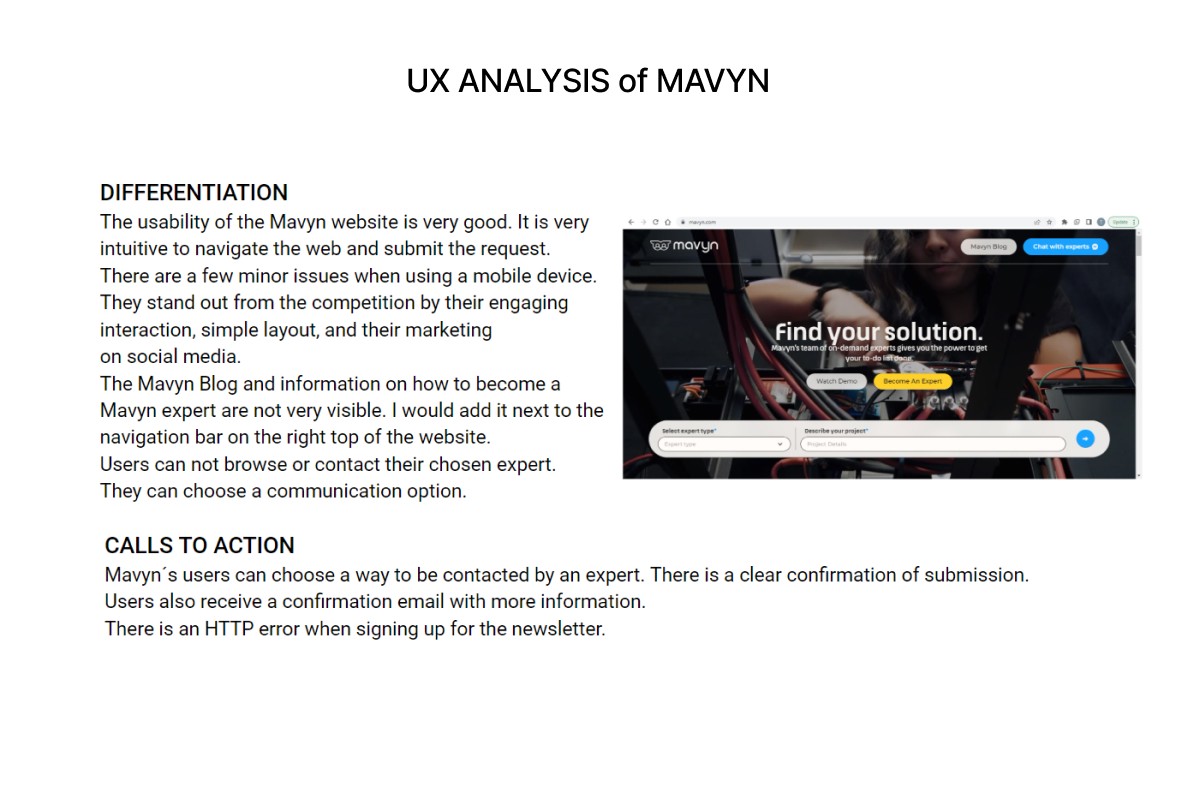
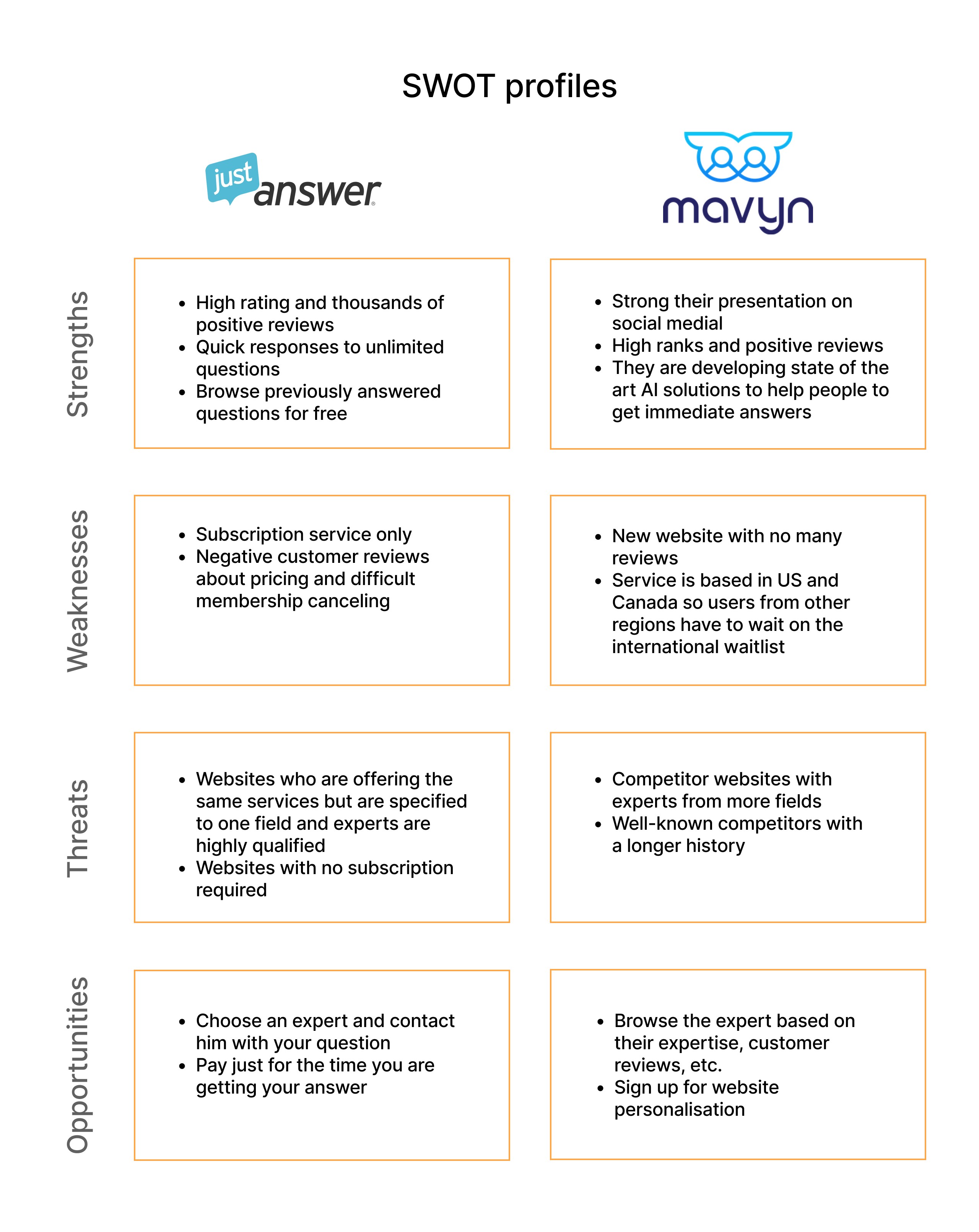
Competitive analysis
To tackle this problem, I started to gather information through research. As this problem was not new to people, I looked into existing solutions and identified 2 main competitors, JustAnswer and Mavyn.
Then I used SWOT profiles and UX analysis which helped me quickly uncover gaps and opportunities to stand out and offer users better solutions.
Opportunities
01
Offer users online service with experts in Europe
02
Allow users browse experts and book a call
03
Option for pay-per-minute or subscription plan
Opportunities
01
Offer users online service with experts in Europe
02
Allow users browse experts and book a call
03
Option for pay-per-minute or subscription plan
User Research
After analysing my competitors I had some questions on my mind:
How are people looking for solutions to their problems?
What pain points do they face?
How satisfied are they with the solutions?
What are their experience with contacting experts?
After analysing my competitors I had some questions on my mind:
How are people looking for solutions to their problems?
What pain points do they face?
How satisfied are they with the solutions?
What are their experience with contacting experts?
To get answers I conducted a user survey and interviews.
User surveys showed people's preferences and opinions. This method also helped me validate my hypothesis of whether I identified the correct target audience.
User interviews gave me answers about people's behaviours and attitudes when browsing answers to their problems.
To get answers I conducted a user survey and interviews.
User surveys showed people's preferences and opinions. This method also helped me validate my hypothesis of whether I identified the correct target audience.
User interviews gave me answers about people's behaviours and attitudes when browsing answers to their problems.
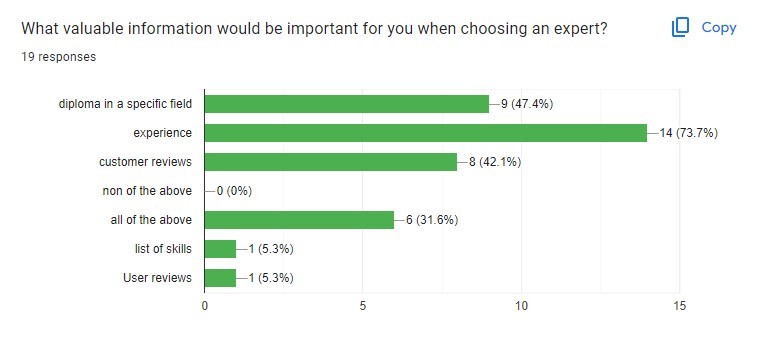
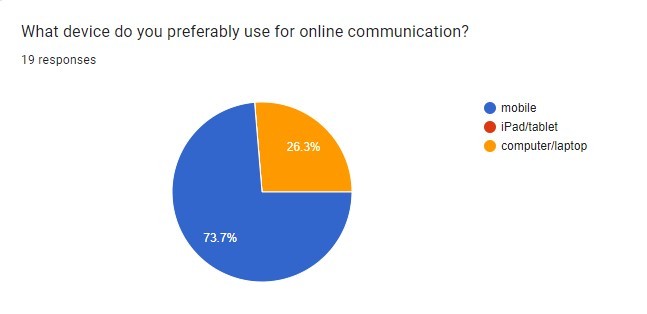

User Survey
User Survey
Participants: 18
Age: 18-45
Findings:
Findings:
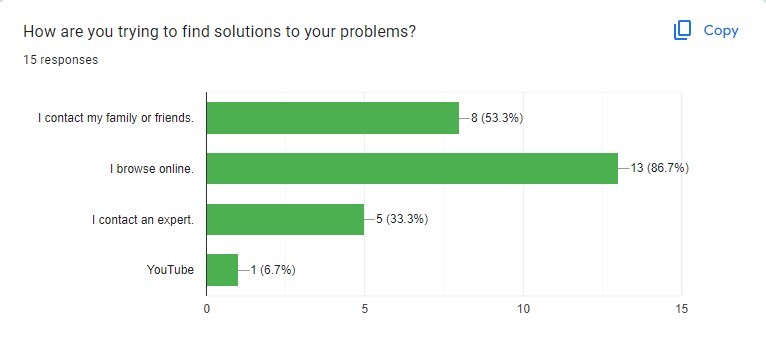
More than 85% of respondents search for advice on their problems online.
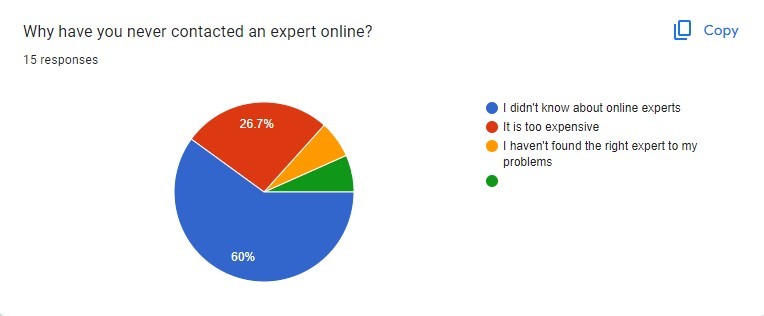
More than 57% of respondents don’t know about online experts.
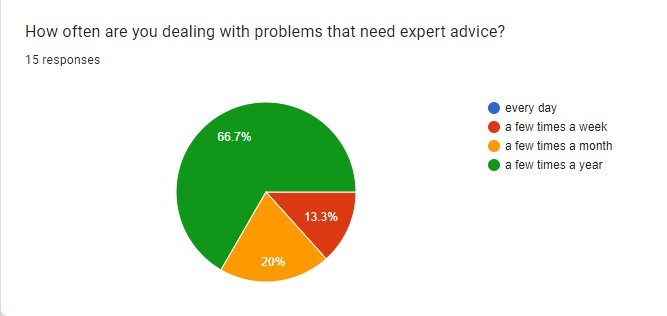
People younger than 25 don’t deal with many problems that need expert advice.
More than 85% of respondents search for advice on their problems online.
More than 57% of respondents don’t know about online experts.
People younger than 25 don’t deal with many problems that need expert advice.

User Interviews
User Interviews
Participants: 3
Age: 30-40
Findings:
Findings:
People tend to preferably look for their solutions online on Google or Youtube.
The most common method is to search by keyword or question.
Time plays a crucial role when searching for solutions to problems.
People think about contacting experts more when it comes to long-term problems.
People tend to preferably look for their solutions online on Google or Youtube.
The most common method is to search by keyword or question.
Time plays a crucial role when searching for solutions to problems.
People think about contacting experts more when it comes to long-term problems.
User research revealed 3 major needs...Enter Expert app.
User Needs
01
Users need quick solutions because they get frustrated when spend a long time browsing for solutions.
02
Users need affordable expert advice because they find in-person appointments too expensive.
03
Users need to select an expert based on specific needs.
Our Solutions
Just ask any question and get a quick answer.
Cheaper advice than in-person appointments: pay-per-minute or subscription option.
Provide a list of experts with their skills, and quick filtering system.
Affinity Mapping
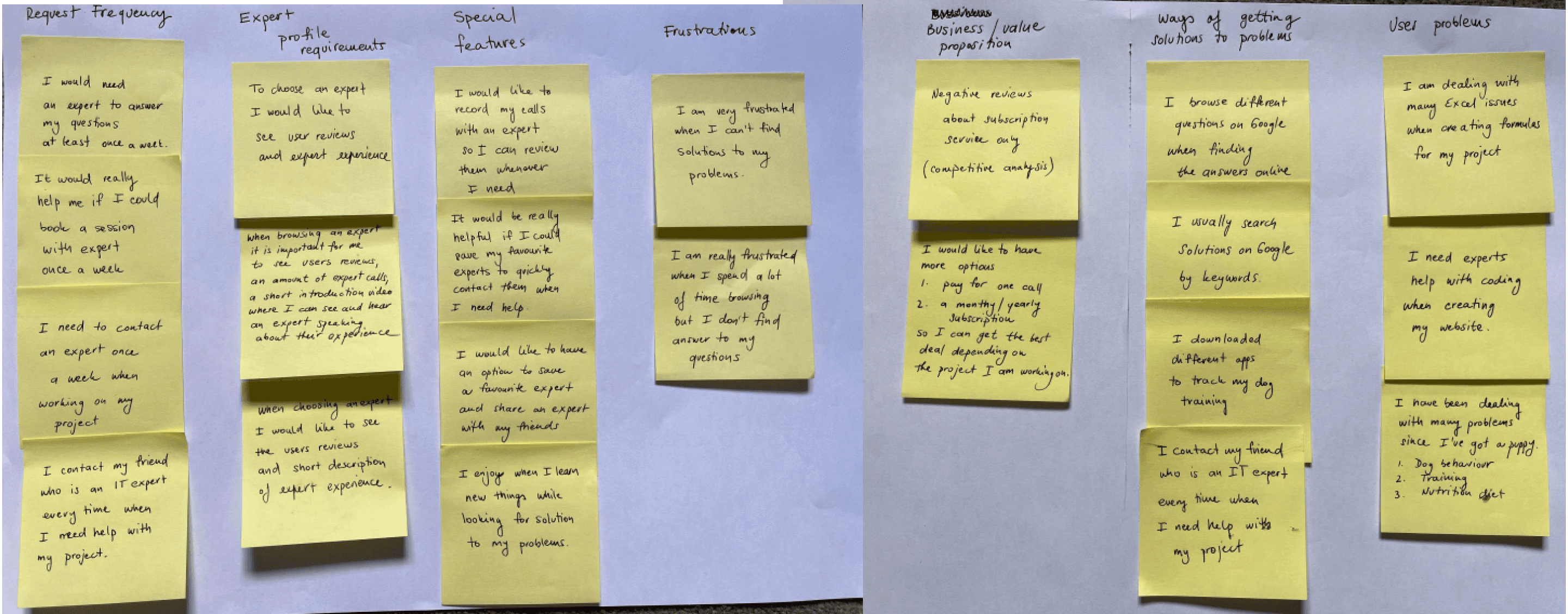
After the research, I needed to identify key insights that would inform my design. I organized and categorized research data using Affinity mapping which allowed me to easily find patterns and address my research goals.
After the research, I needed to identify key insights that would inform my design. I organized and categorized research data using Affinity mapping which allowed me to easily find patterns and address my research goals.
User research revealed 3 major needs...Enter Expert app.
User Needs
01
Users need quick solutions because they get frustrated when spend a long time browsing for solutions.
02
Users need affordable expert advice because they find in-person appointments too expensive.
03
Users need to select an expert based on specific needs.
Our Solutions
Just ask any question and get a quick answer.
Cheaper advice than in-person appointments: pay-per-minute or subscription option.
Provide a list of experts with their skills, and quick filtering system.
User Personas
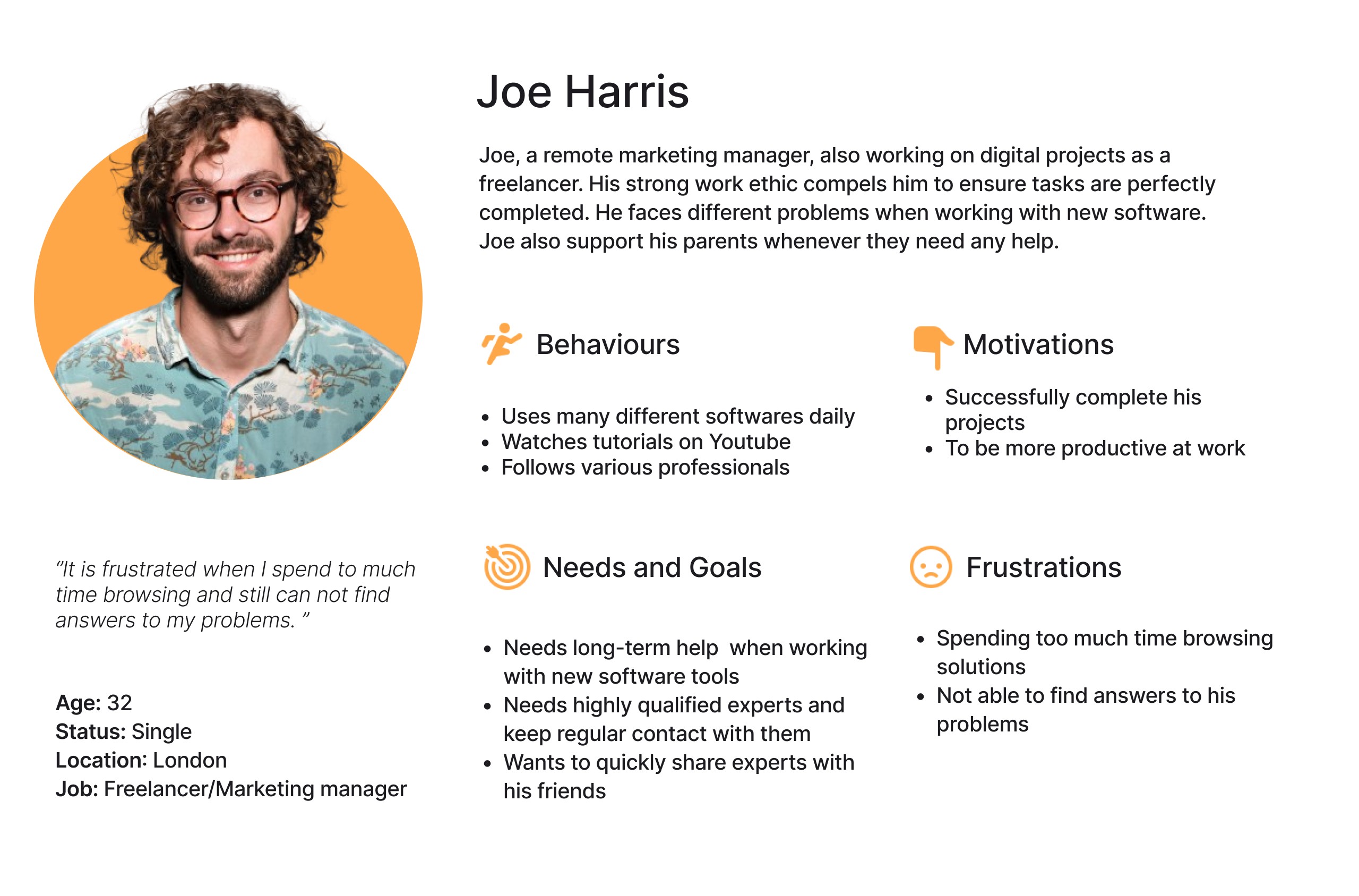
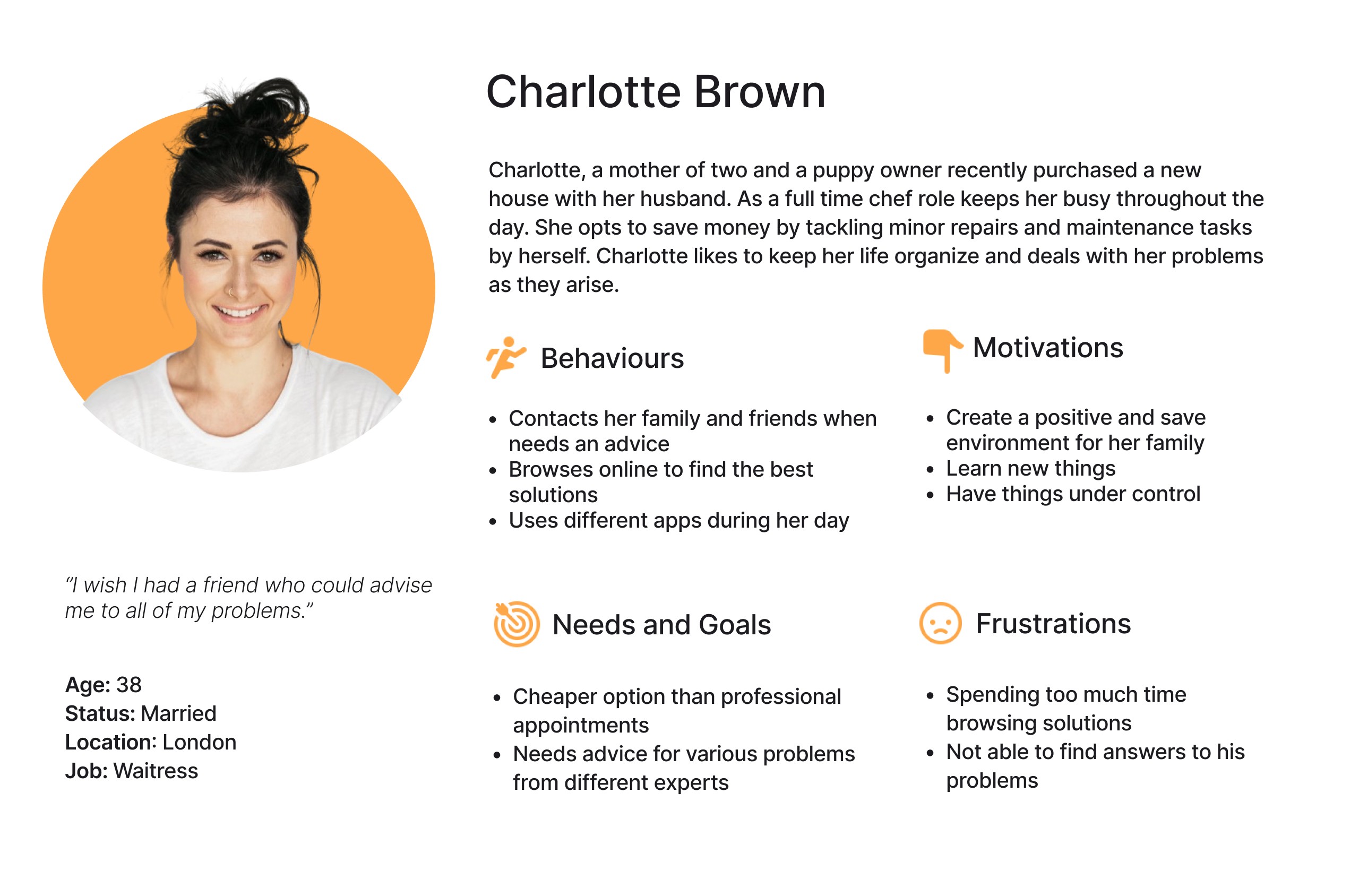
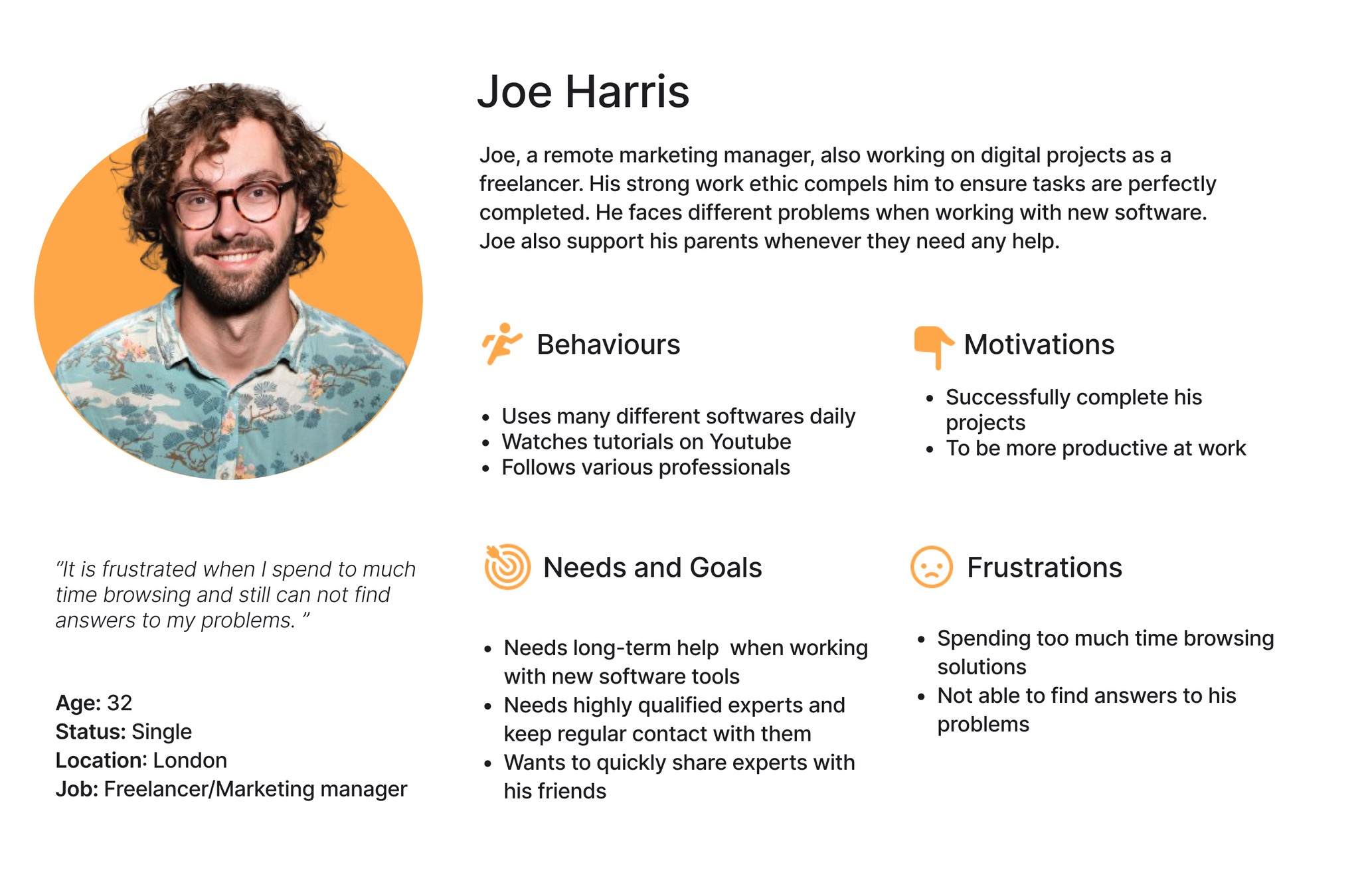
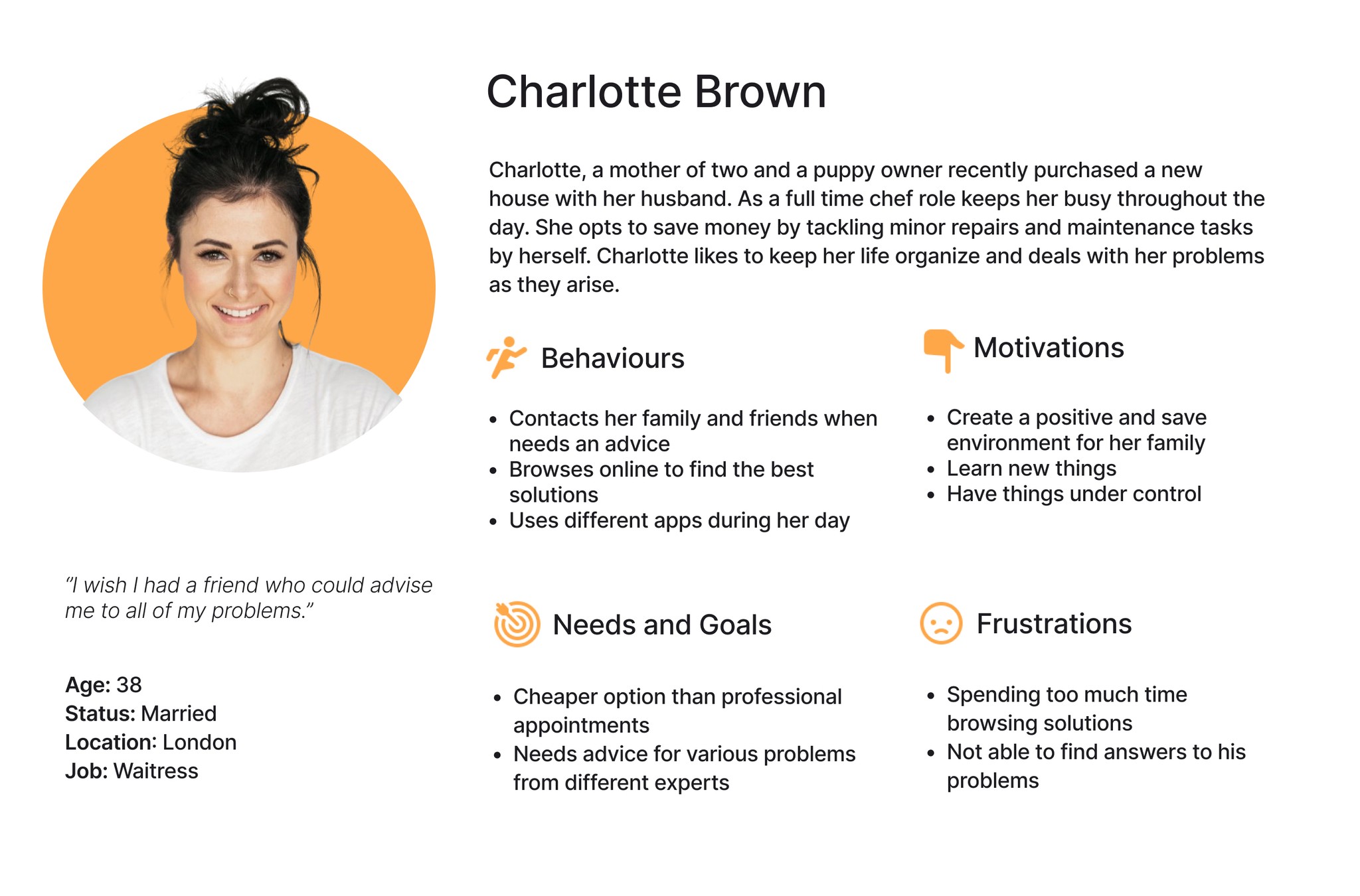
When analysing data from user research I identified 2 main groups of the target audience. To ensure focus on both, I created user personas for each group, clarifying their needs and behaviours. I used these personas as a quick guide for my design choices. They'll also help my future team visualize our target users and stay focused on user-centric design.
When analysing data from user research I identified 2 main groups of the target audience. To ensure focus on both, I created user personas for each group, clarifying their needs and behaviours. I used these personas as a quick guide for my design choices. They'll also help my future team visualize our target users and stay focused on user-centric design.
01
Joe represents users who need advice on continues problems and want to choose experts and keep regular contact with them for a certain time.
Joe represents users who need advice on continues problems and want to choose experts and keep regular contact with them for a certain time.
02
Charlotte represents users who need advice on various problems at certain times and need cheaper solutions than in-person appointments.
Charlotte represents users who need advice on various problems at certain times and need cheaper solutions than in-person appointments.
User Journeys
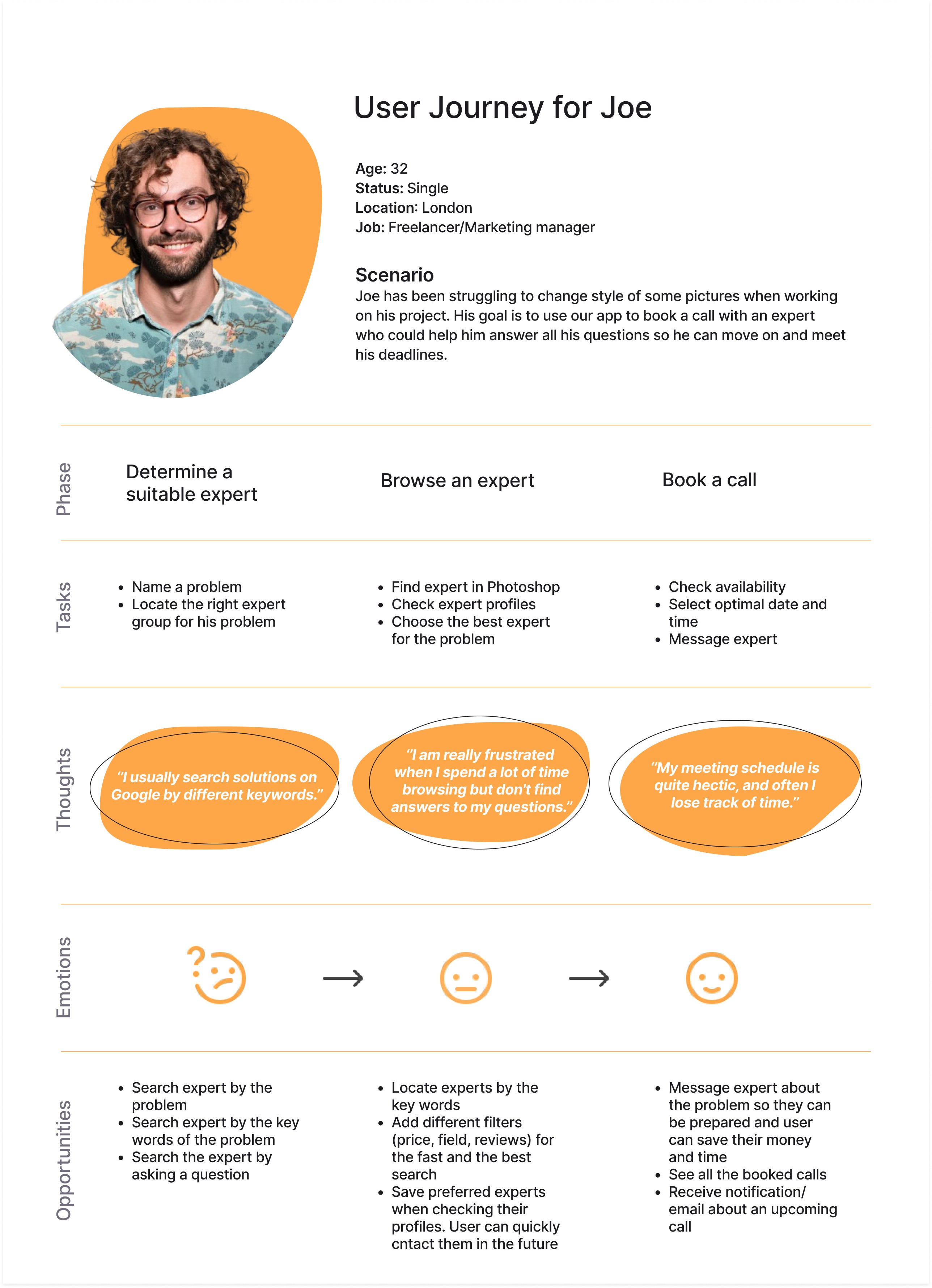
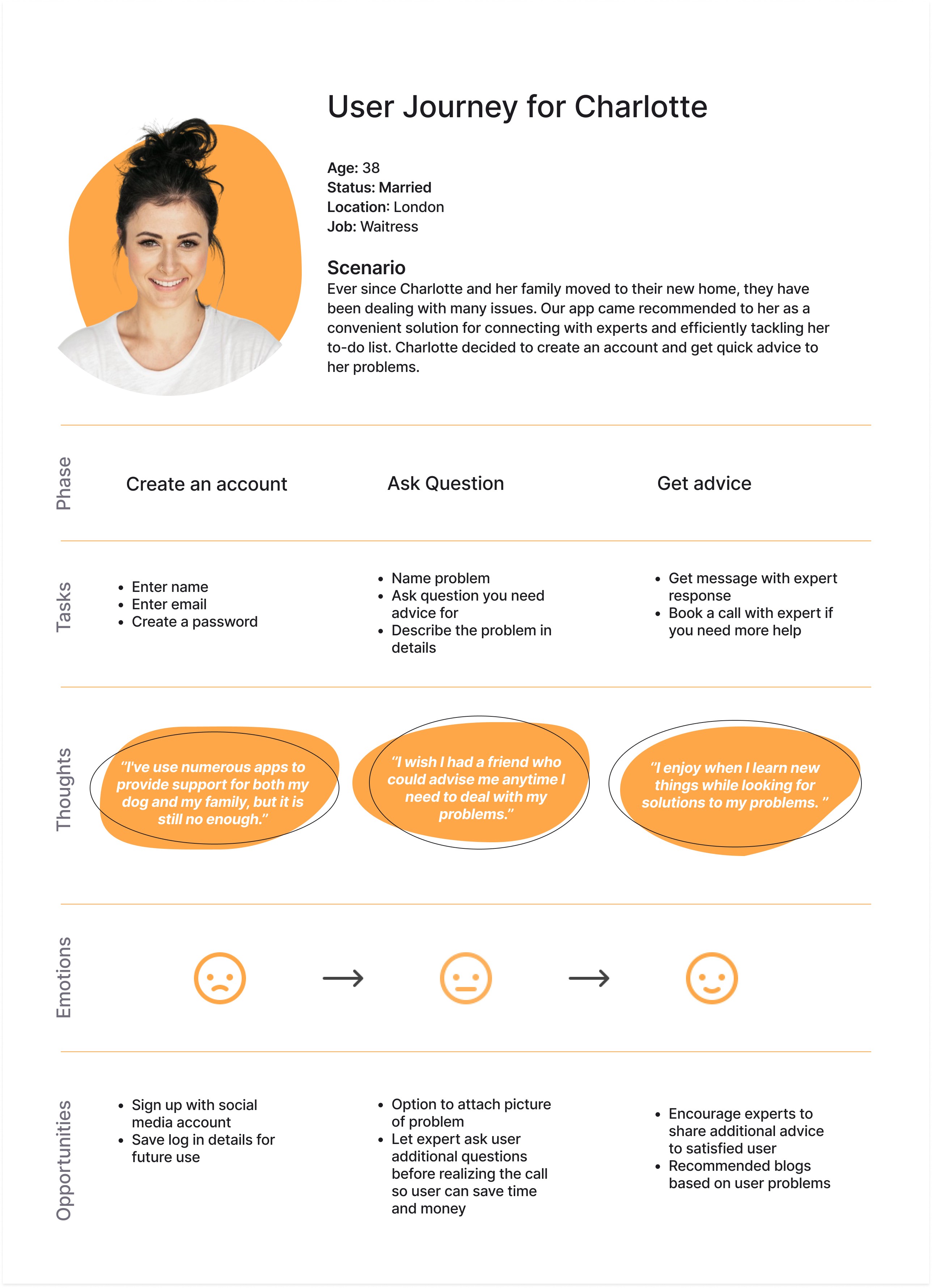
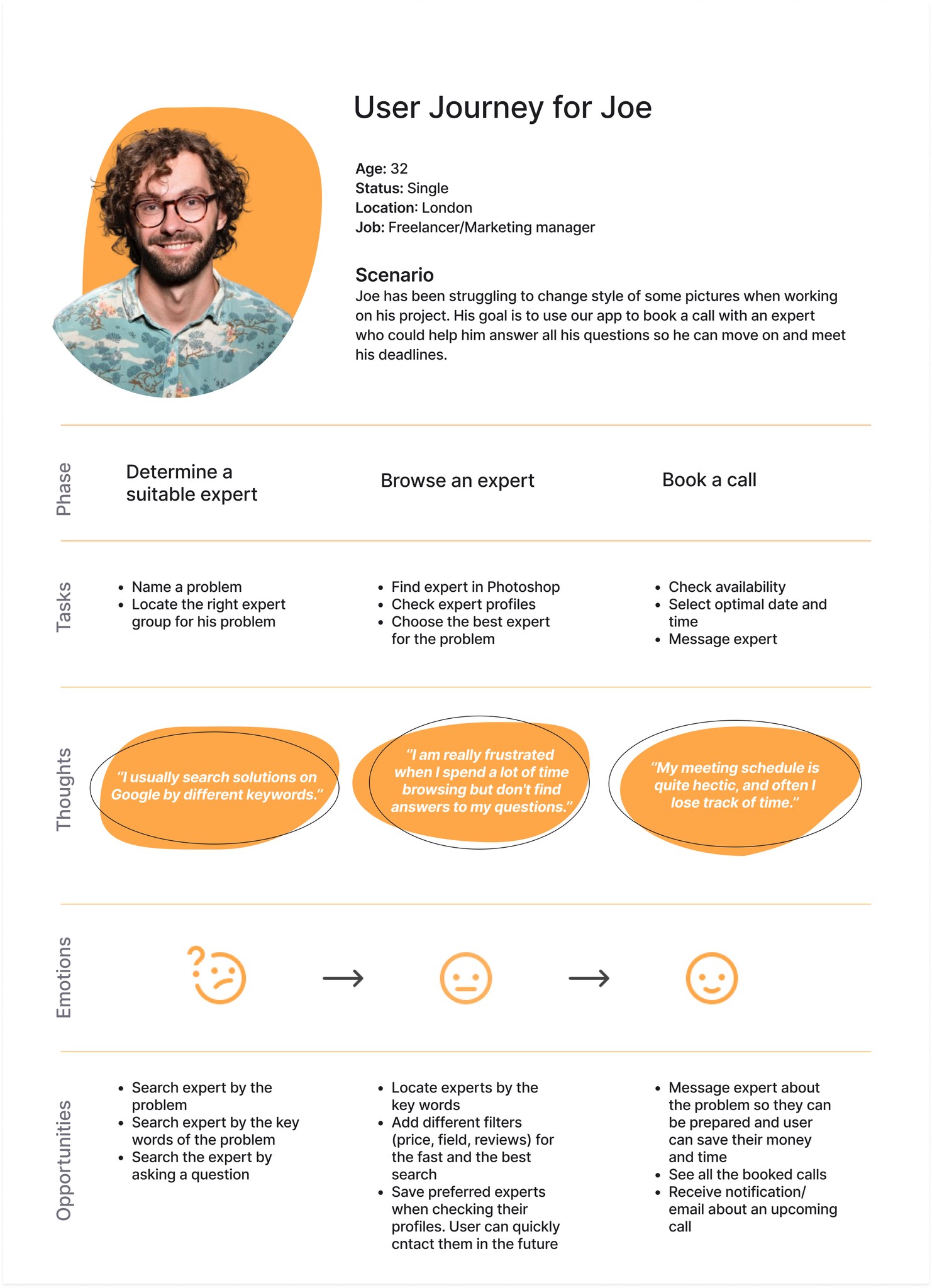
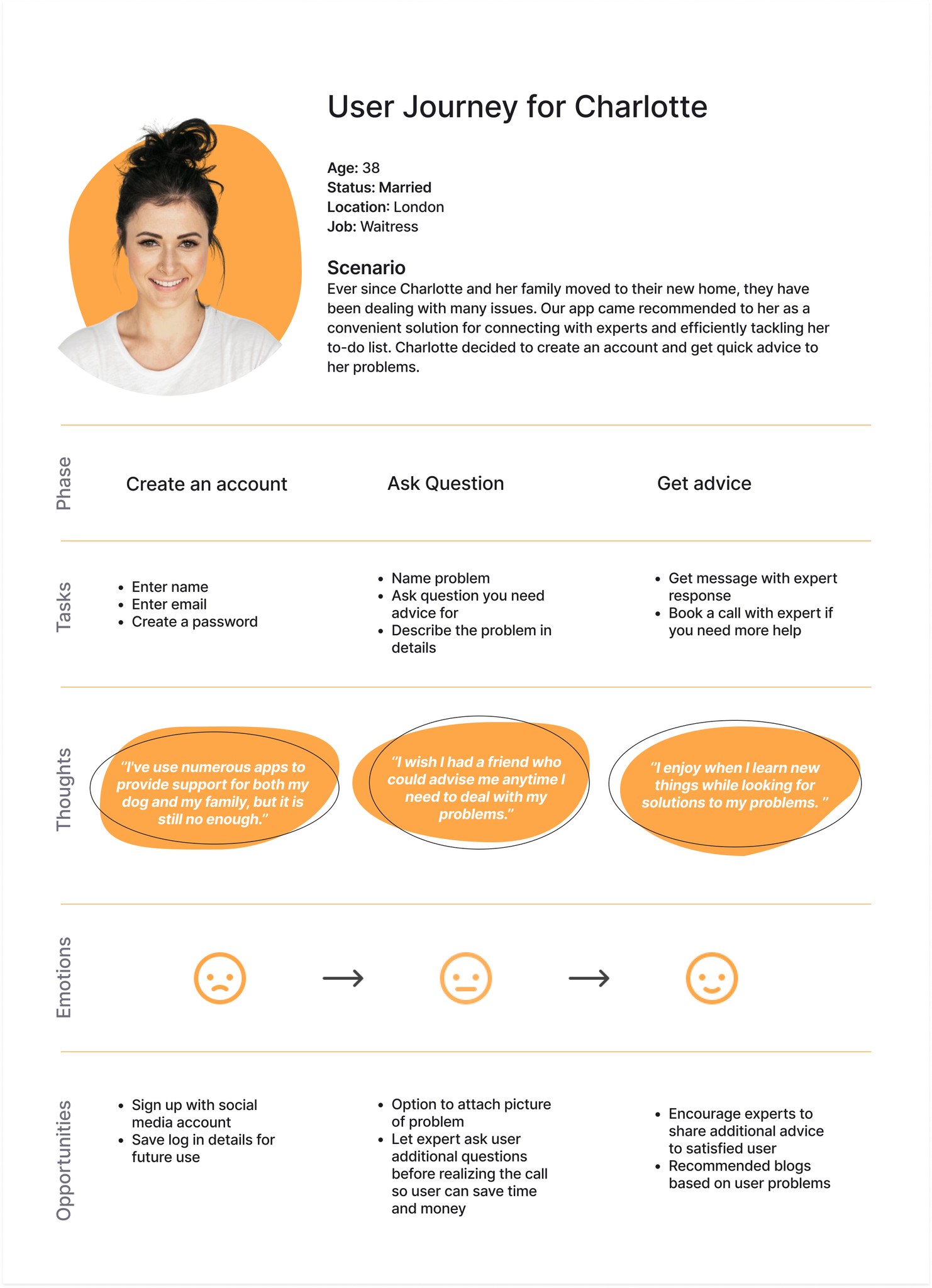
I wanted to know how users interact with an app, so I could identify opportunities and remove pain points to make their journey more satisfying. I stepped into their shoes with User Journeys, mapping their steps for tasks. This helped me analyze each step and make improvements.
I wanted to know how users interact with an app, so I could identify opportunities and remove pain points to make their journey more satisfying. I stepped into their shoes with User Journeys, mapping their steps for tasks. This helped me analyze each step and make improvements.
User Flows
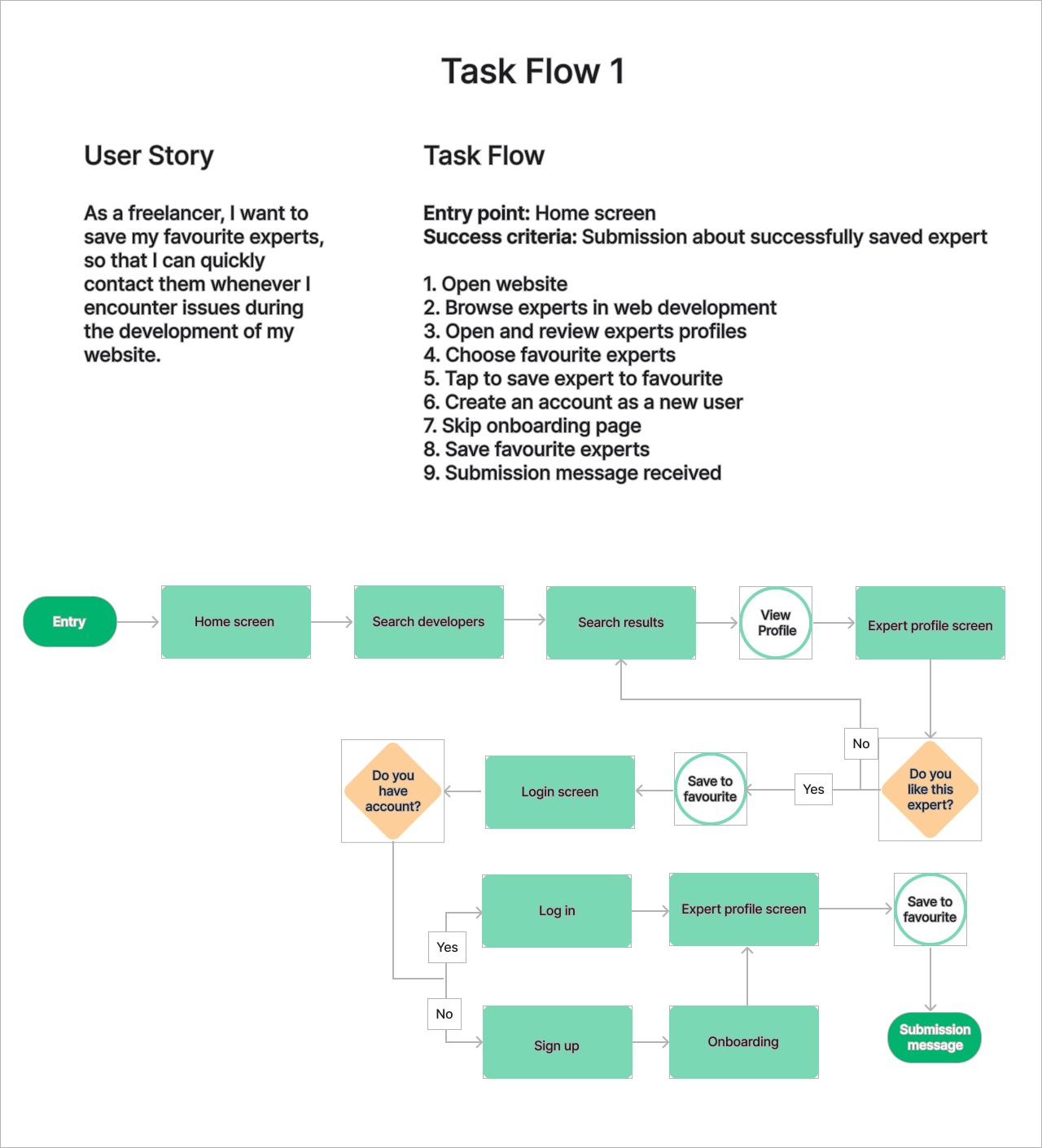
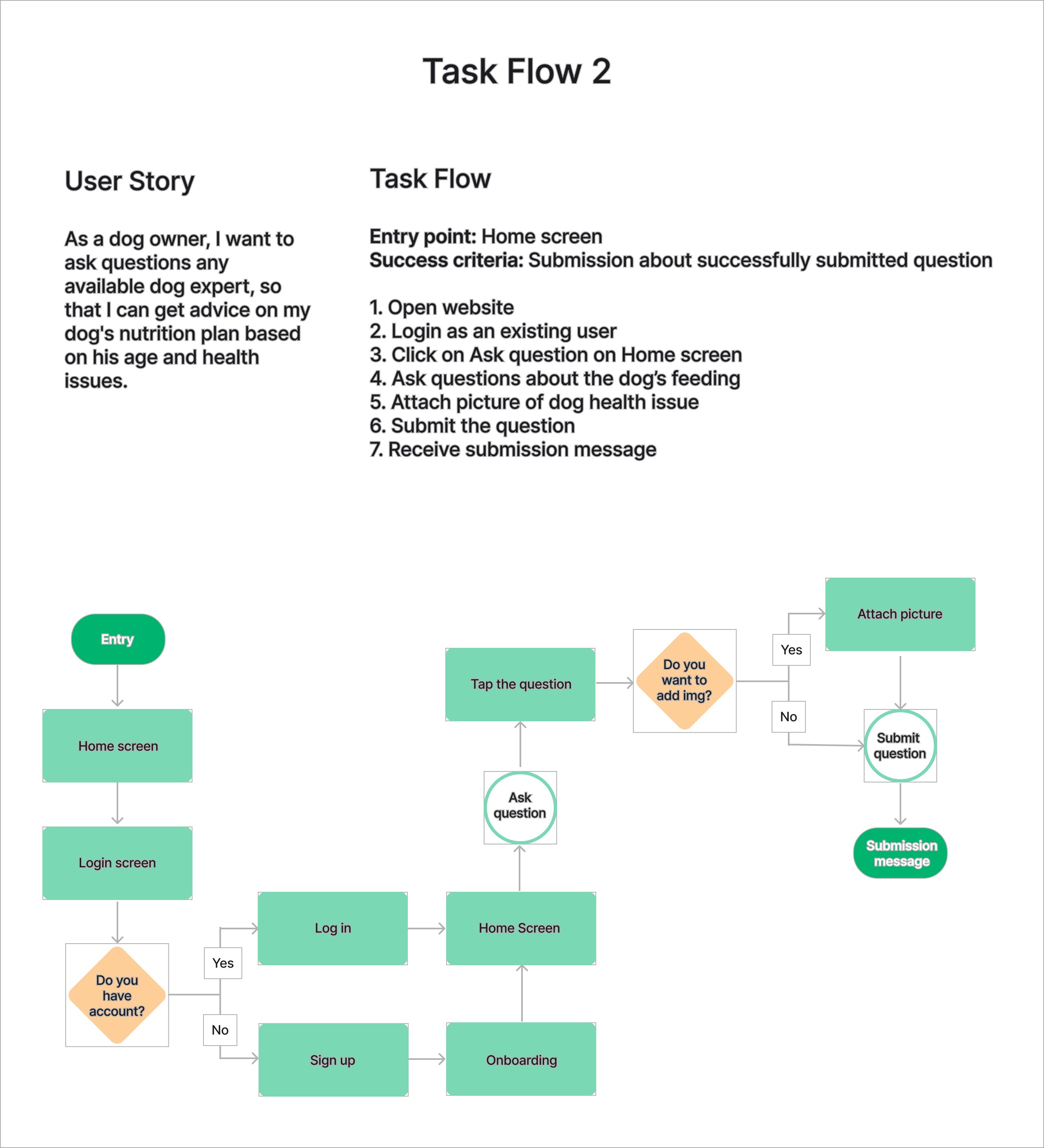
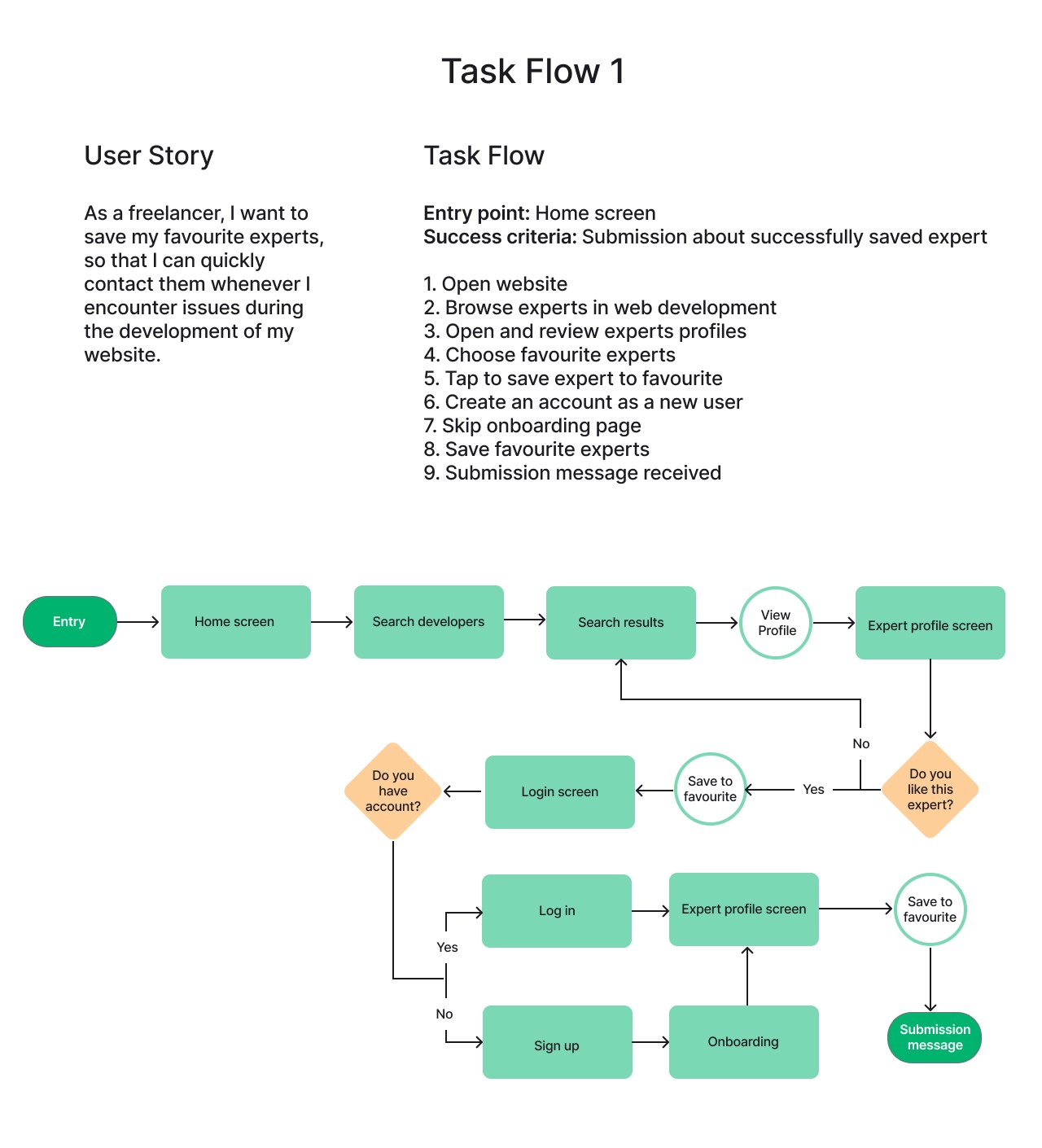
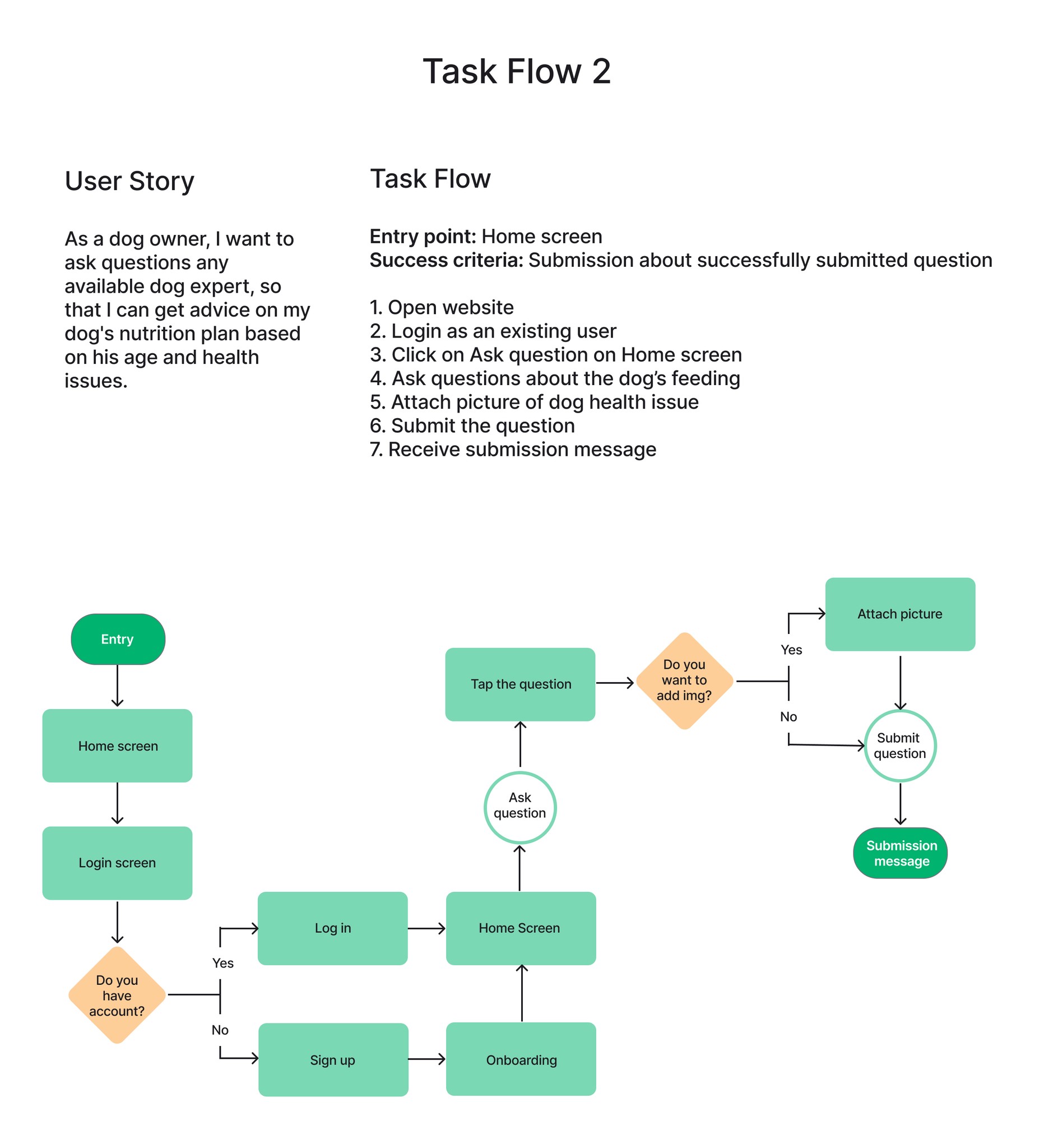
Before starting with wireframes, I created task flows to discover necessary pages and avoid certain mistakes to create better user experience. Initially, I explored many existing ways of completing certain tasks. Being able to search for experts, and book a call were the main features so I had to make these flows familiar to users.
Before starting with wireframes, I created task flows to discover necessary pages and avoid certain mistakes to create better user experience. Initially, I explored many existing ways of completing certain tasks. Being able to search for experts, and book a call were the main features so I had to make these flows familiar to users.
Site Map
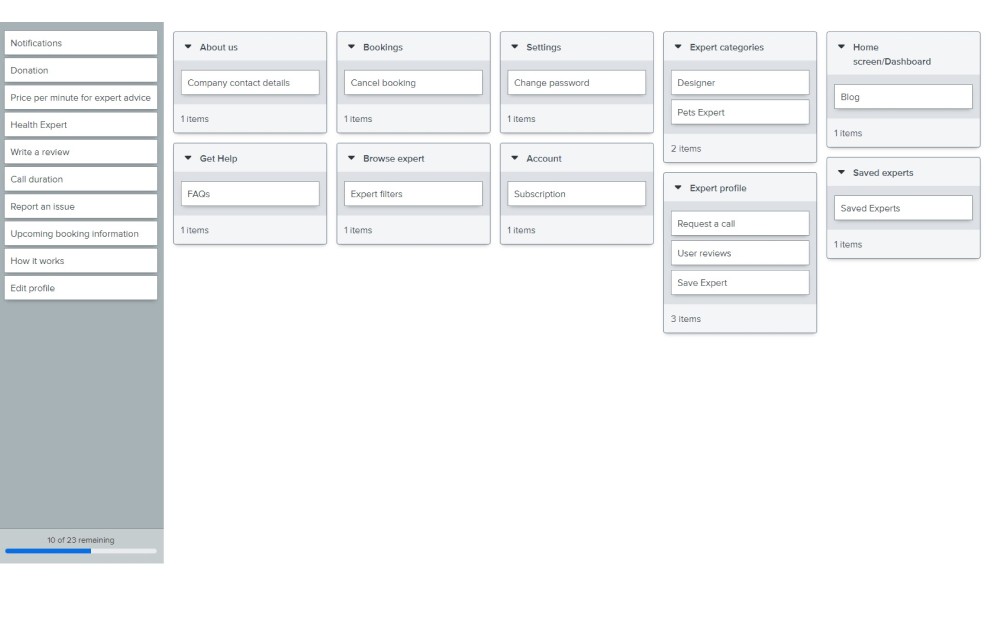
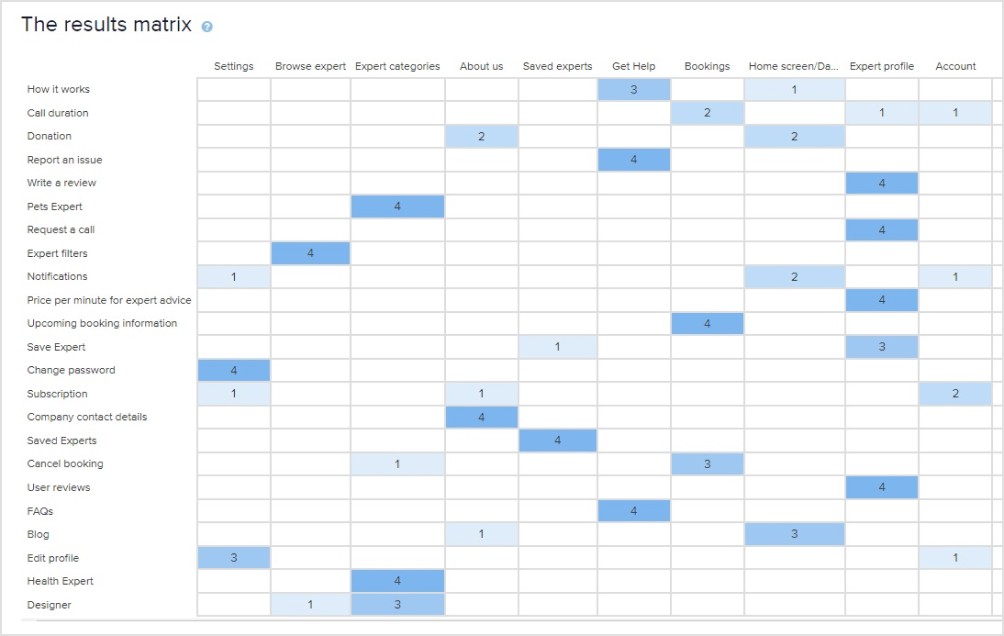
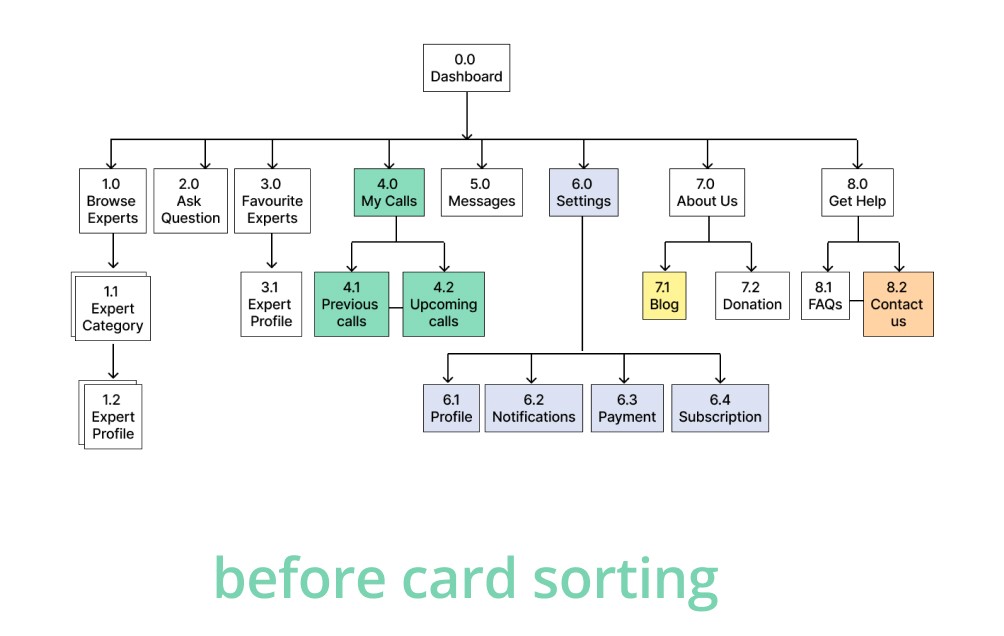
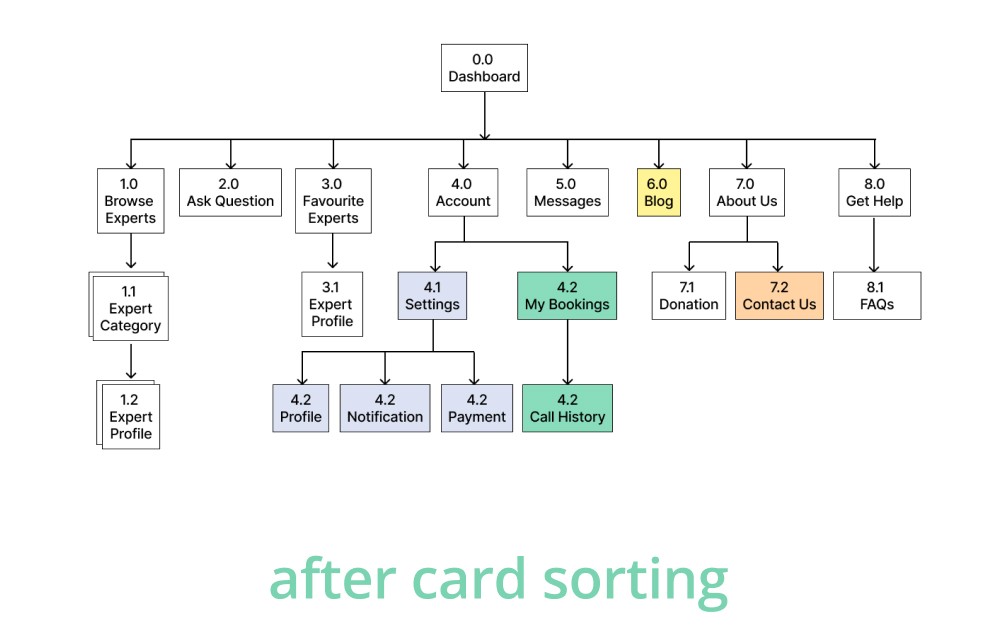
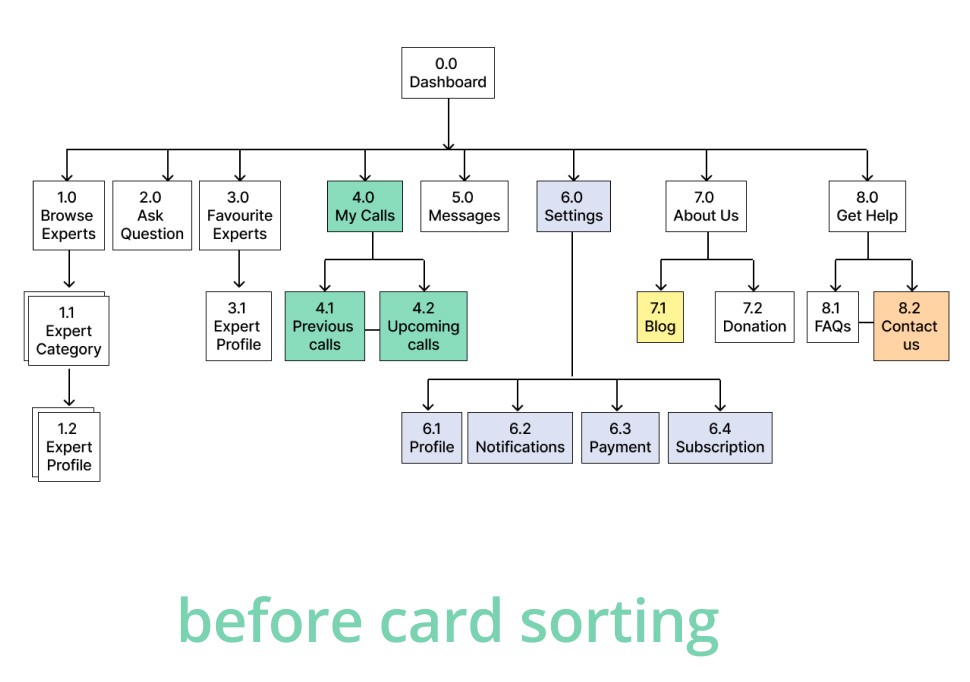
I began developing my app by structuring the content. With user journeys and task flows in mind, I created a site map. To assess whether this organized information would make sense to users, I used the closed card sorting method.
I began developing my app by structuring the content. With user journeys and task flows in mind, I created a site map. To assess whether this organized information would make sense to users, I used the closed card sorting method.
Low-fidelity Wireframes
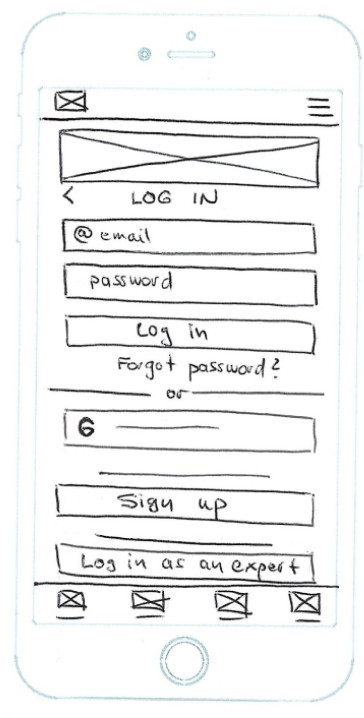
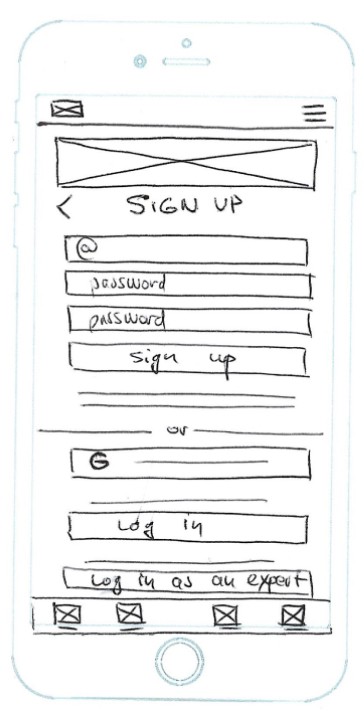
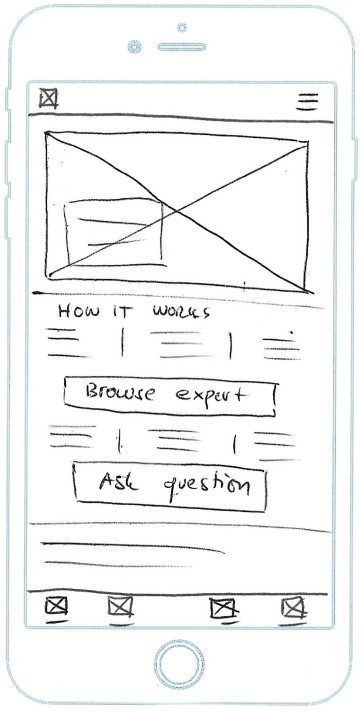
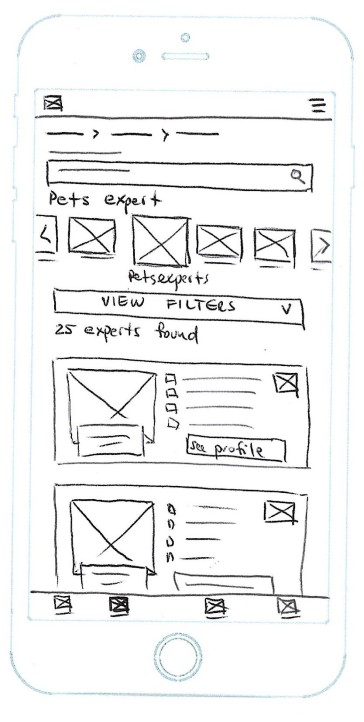
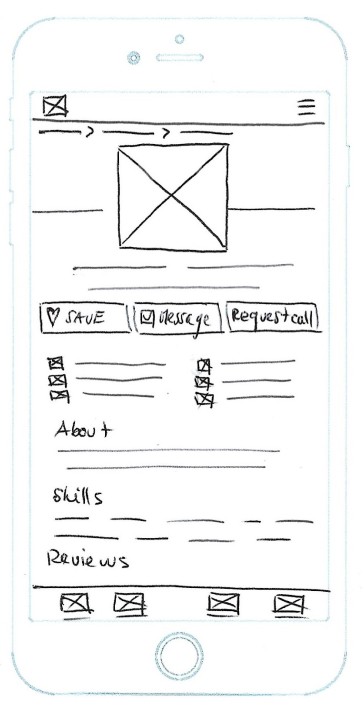
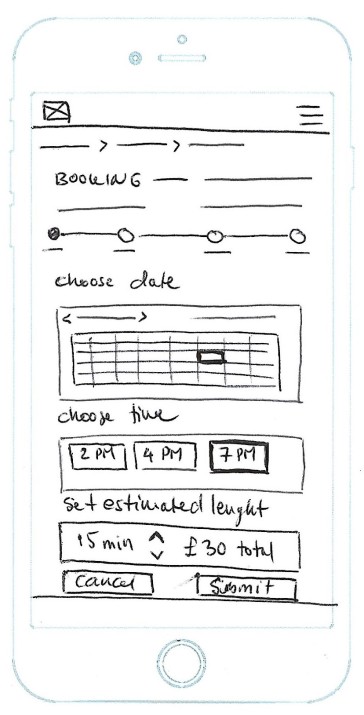
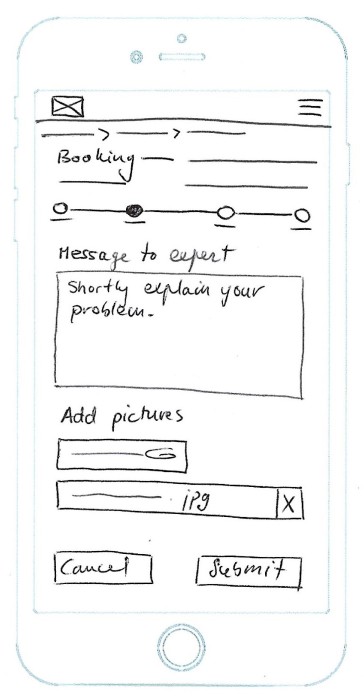
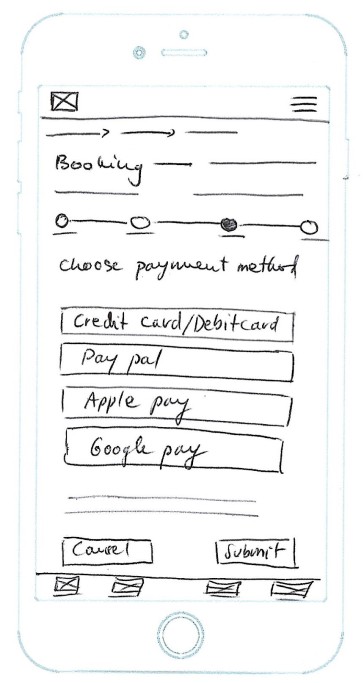
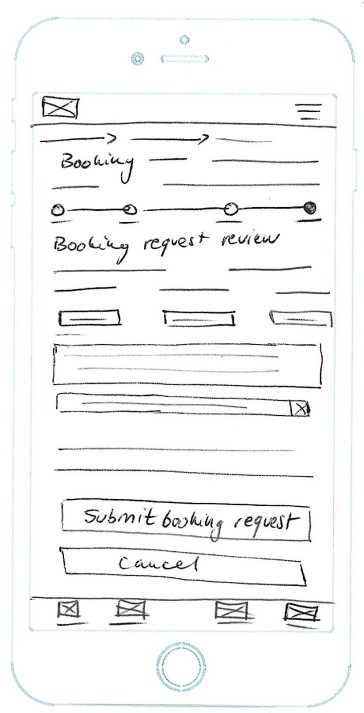
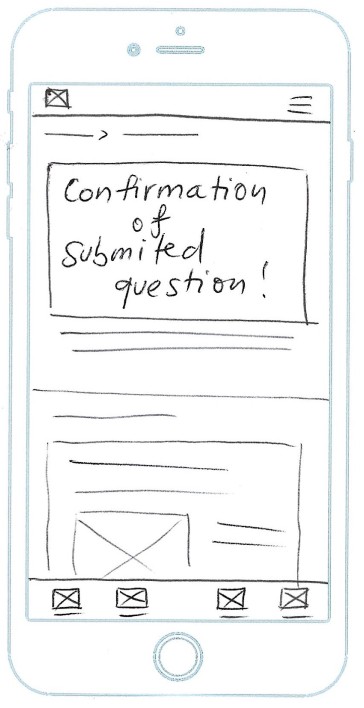
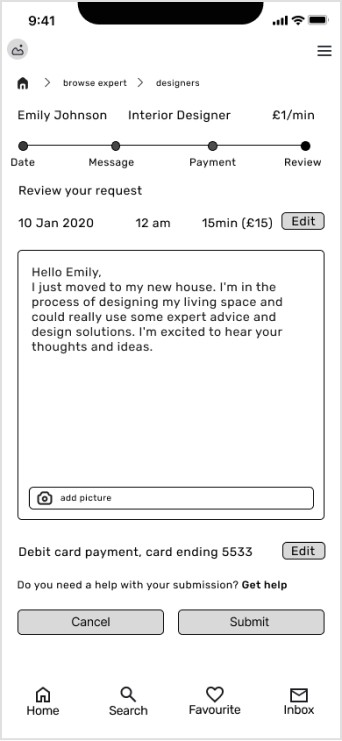
I started sketching out the low-fidelity wireframes with basic functionality using pen and paper. This method allowed me to brainstorm many different ideas for layouts and make changes on the fly without spending a lot of time. Once I got some feedback, I moved on to refining my low-fidelity wireframes.
I started sketching out the low-fidelity wireframes with basic functionality using pen and paper. This method allowed me to brainstorm many different ideas for layouts and make changes on the fly without spending a lot of time. Once I got some feedback, I moved on to refining my low-fidelity wireframes.
Mid-fidelity Wireframes
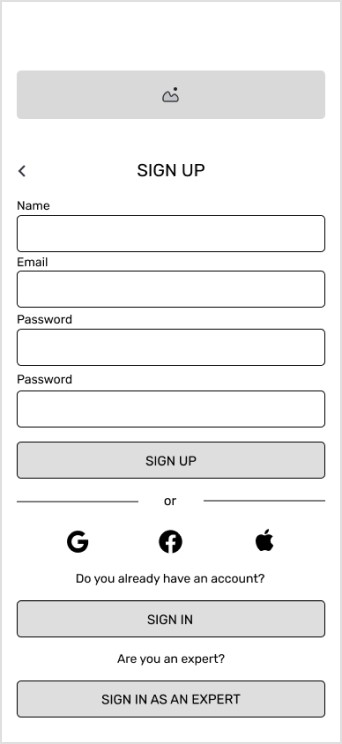
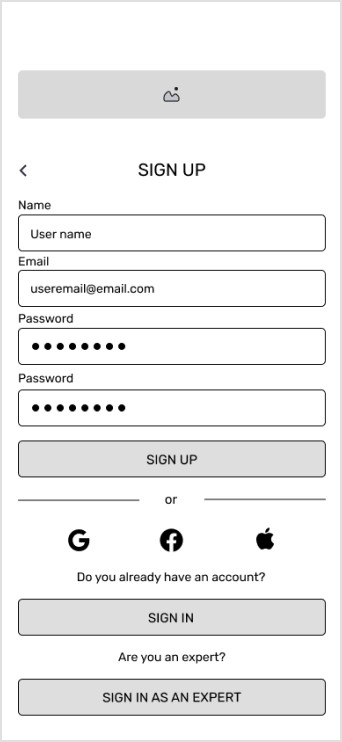
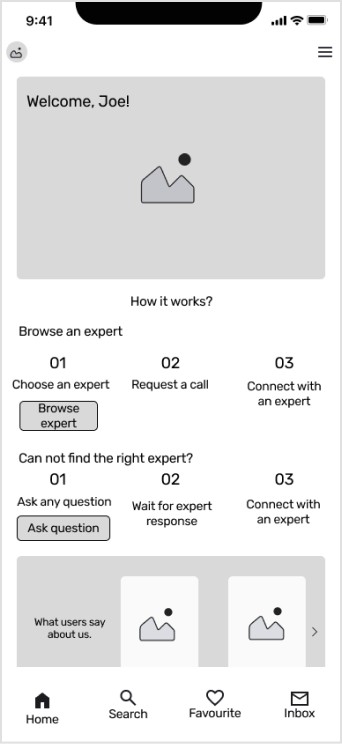
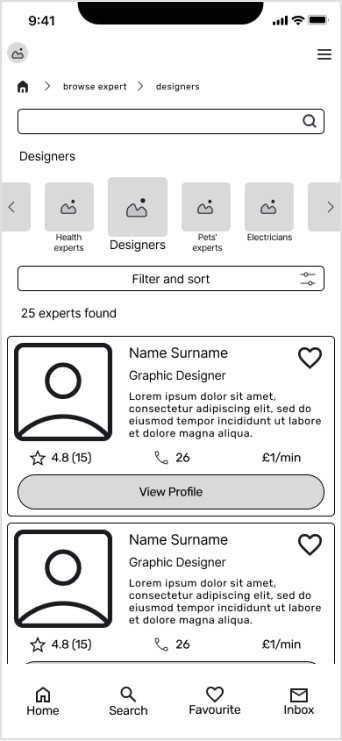
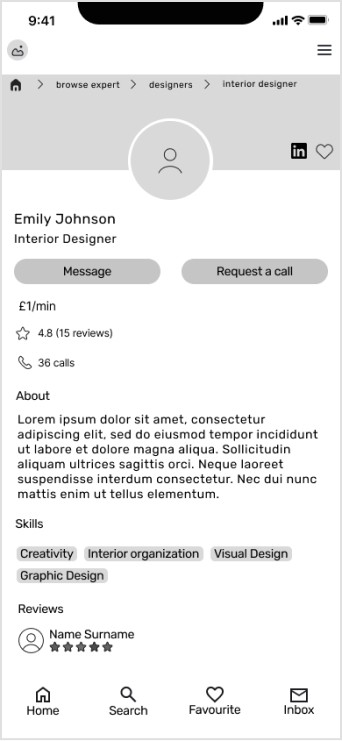
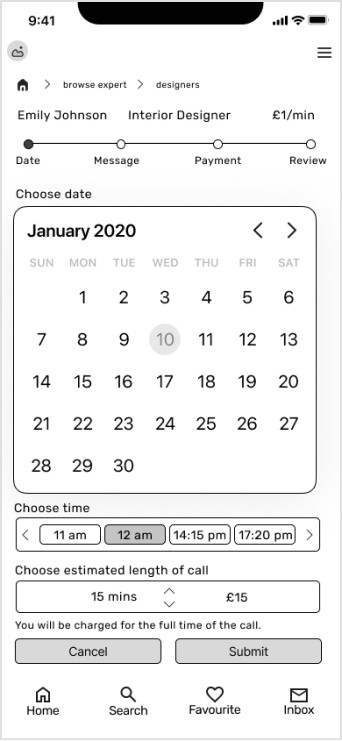
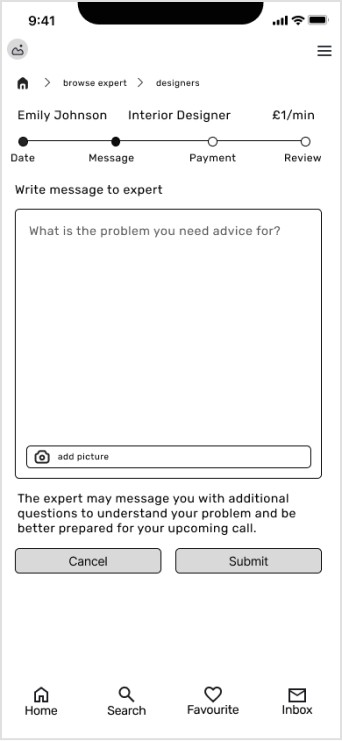
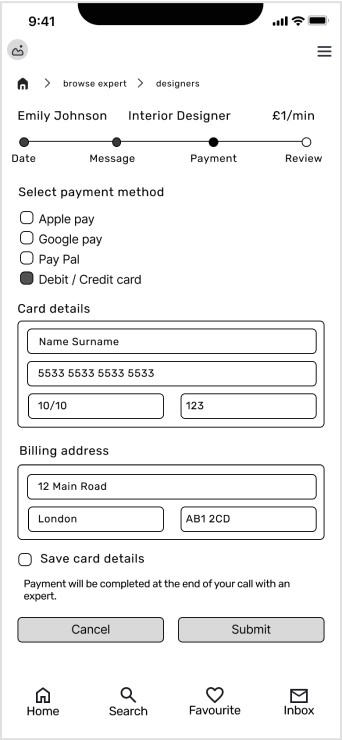
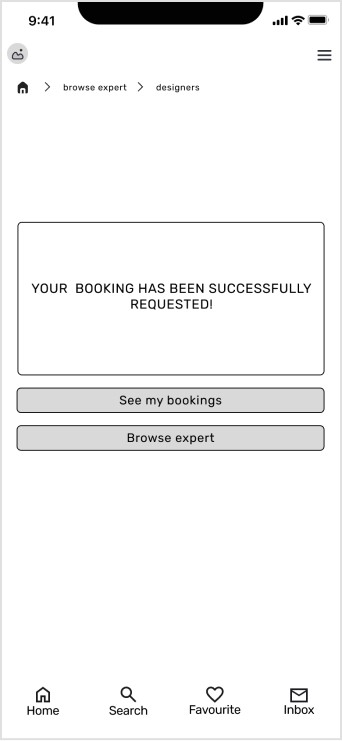
I used the Figma tool to create wireframes and prototypes which allowed me to easily share and test my ideas in the early stages.
I used the Figma tool to create wireframes and prototypes which allowed me to easily share and test my ideas in the early stages.
User Flows
Before starting with wireframes, I created task flows to discover necessary pages and avoid certain mistakes to create better user experience. Initially, I explored many existing ways of completing certain tasks. Being able to search for experts, and book a call were the main features
so I had to make these flows familiar to users.
Low-fidelity Wireframes
I started sketching out the low-fidelity wireframes with basic functionality using pen and paper. This method allowed me to brainstorm many different ideas for layouts and make changes on the fly without spending a lot of time. Once I got some feedback, I moved on to refining my low-fidelity wireframes.
Site Map
I began developing my app by structuring the content. With user journeys and task flows in mind, I created a site map. To assess whether this organized information would make sense to users, I used the closed card sorting method.
Mid-fidelity Wireframes
I used the Figma tool to create wireframes and prototypes which allowed me to easily share and test my ideas in the early stages.
Usability Testing
I conducted usability testing using mid-fidelity prototypes.
This testing was moderated and remote, where 6 participants used their mobile devices to complete certain tasks. The goal of the testing was to assess usability and overall user experience when interacting with the app.
I conducted usability testing using mid-fidelity prototypes.
This testing was moderated and remote, where 6 participants used their mobile devices to complete certain tasks. The goal of the testing was to assess usability and overall user experience when interacting with the app.
I conducted usability testing using mid-fidelity prototypes.
This testing was moderated and remote, where 6 participants used their mobile devices to complete certain tasks. The goal of the testing was to assess usability and overall user experience when interacting with the app.
Findings
Findings
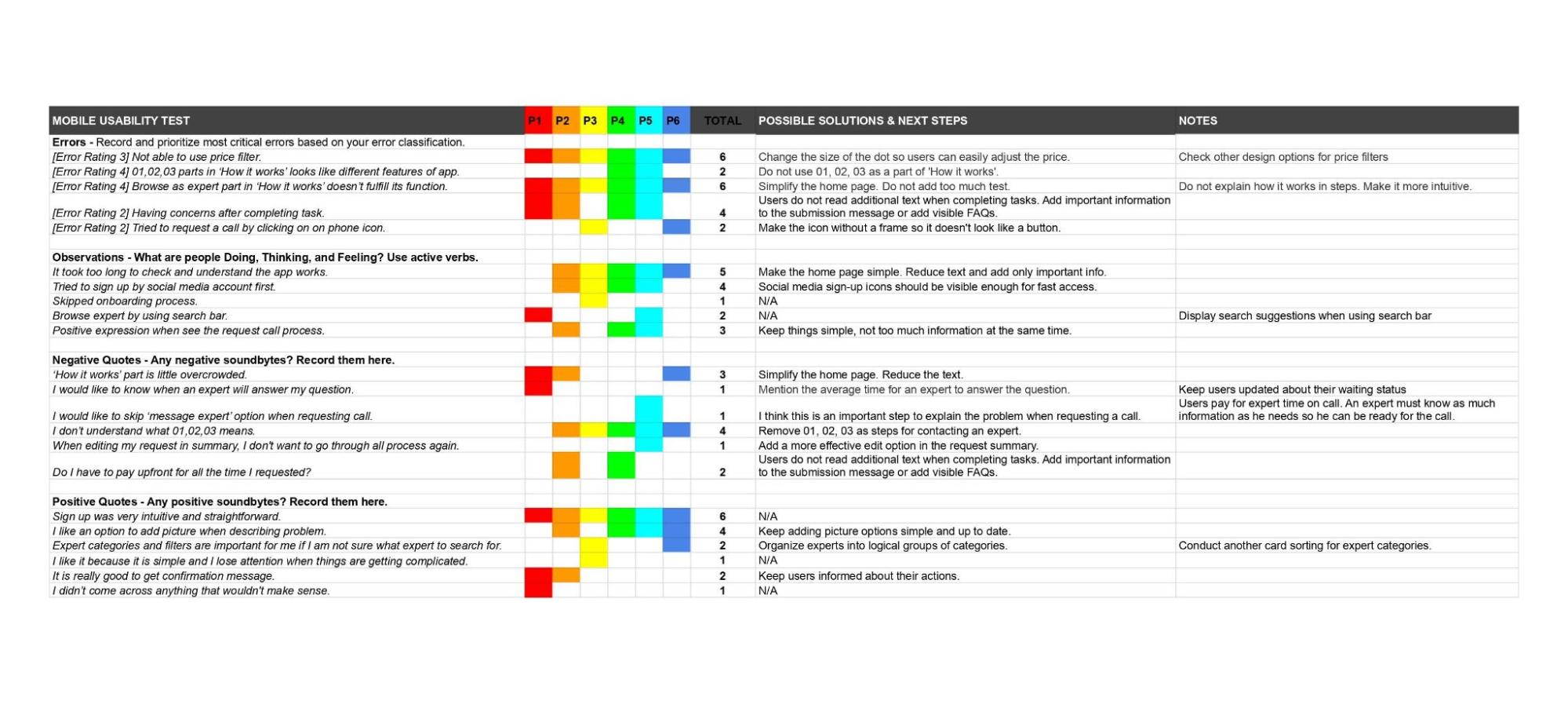
Participants found the prototype easy to use and all the tasks were straightforward without big issues. I visually organized information from the testing in Rainbow Spreadsheet, which helped me classify important observations and errors to plan the next improvements. To start working on the errors, I rated them based on severity using Jakob Nielsen’s rating scale.
Participants found the prototype easy to use and all the tasks were straightforward without big issues. I visually organized information from the testing in Rainbow Spreadsheet, which helped me classify important observations and errors to plan the next improvements. To start working on the errors, I rated them based on severity using Jakob Nielsen’s rating scale.
Issues and Improvements
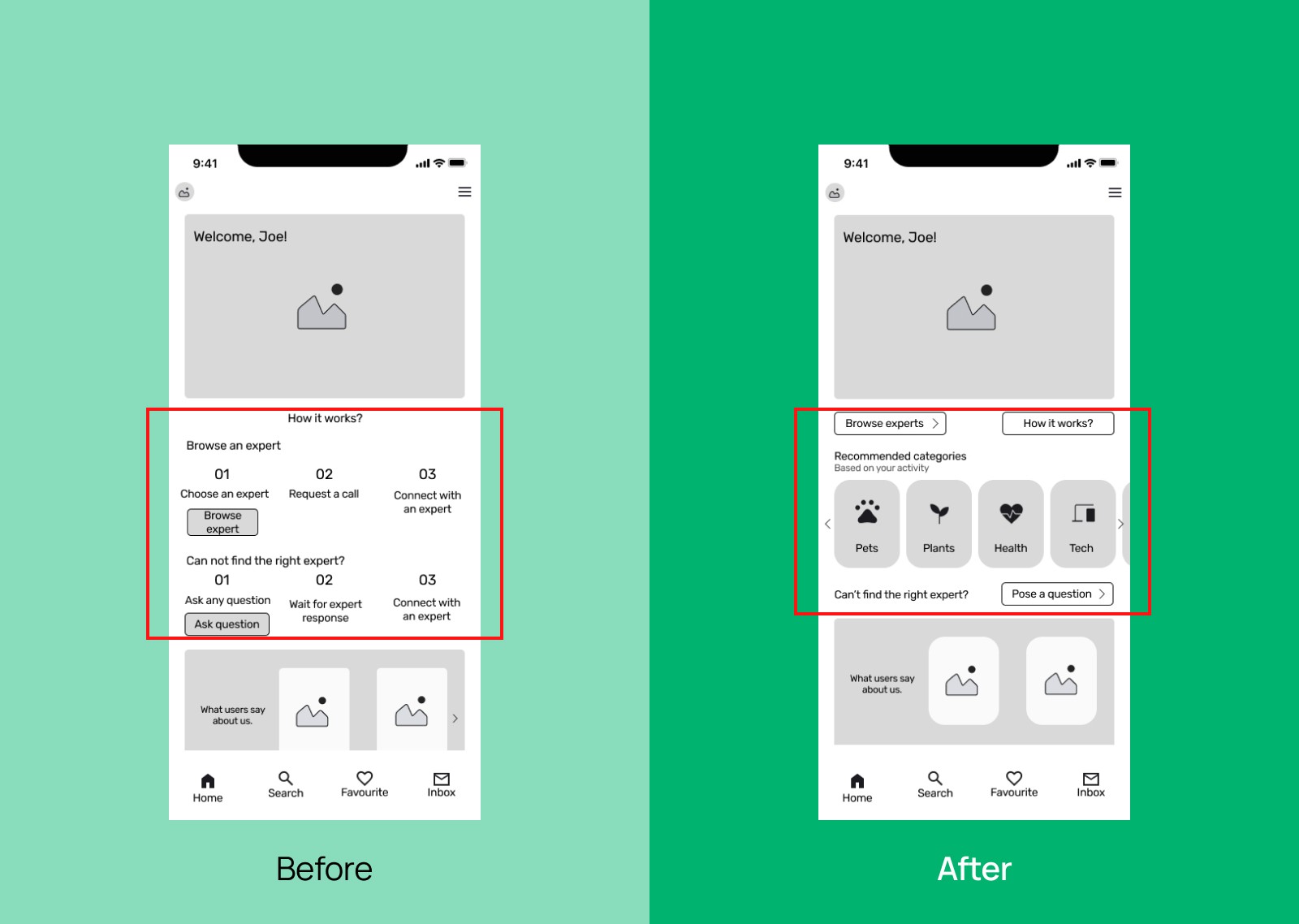
Issue 1
‘How it works’ part doesn’t fulfil its function.
Solution
Remove ‘How i works’ part from the Home screen. Create a navigation to the ‘How it works’ screen, for those who need deeper.
Issue 1
‘How it works’ part doesn’t fulfil its function.
Solution
Remove ‘How i works’ part from the Home screen. Create a navigation to the ‘How it works’ screen, for those who need deeper.
Issue 2
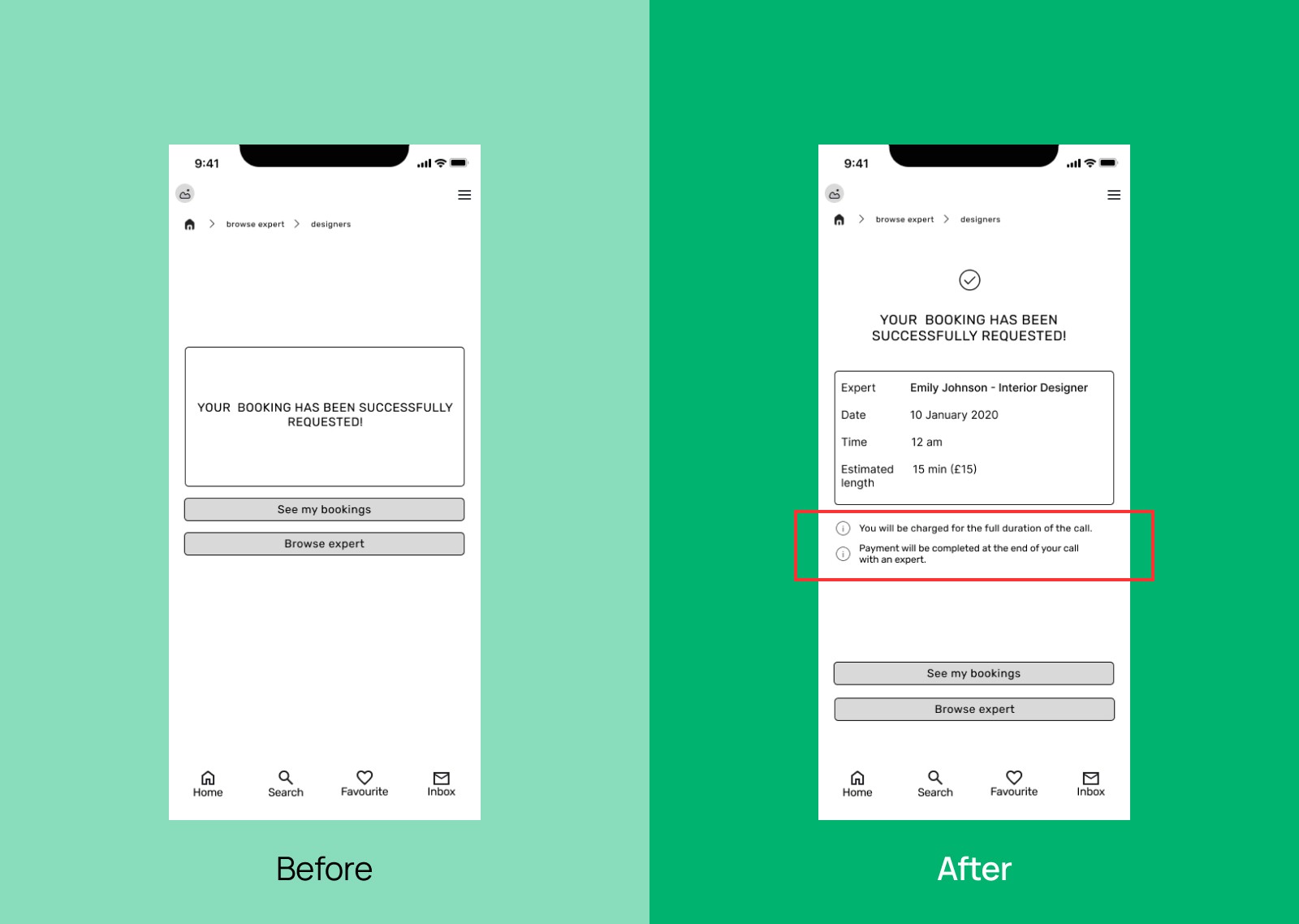
Participants don’t read additional text during call requests.
Solution
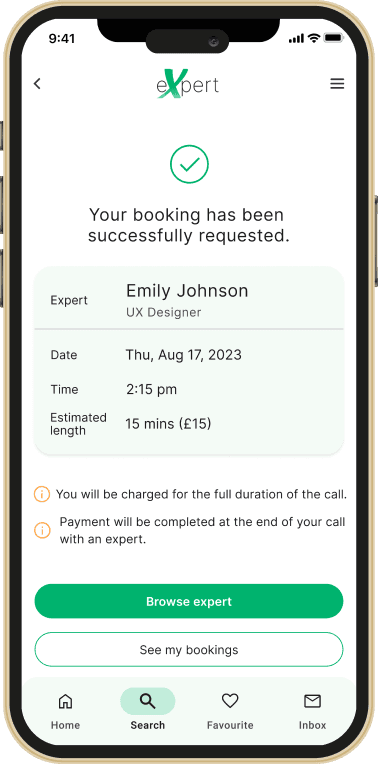
Add important information to the confirmation message at the end
of the completed task.
Issue 2
Participants don’t read additional text during call requests.
Solution
Add important information to the confirmation message at the end
of the completed task.
Issue 2
Participants don’t read additional text during call requests.
Solution
Add important information to the confirmation message at the end
of the completed task.
Issue 3
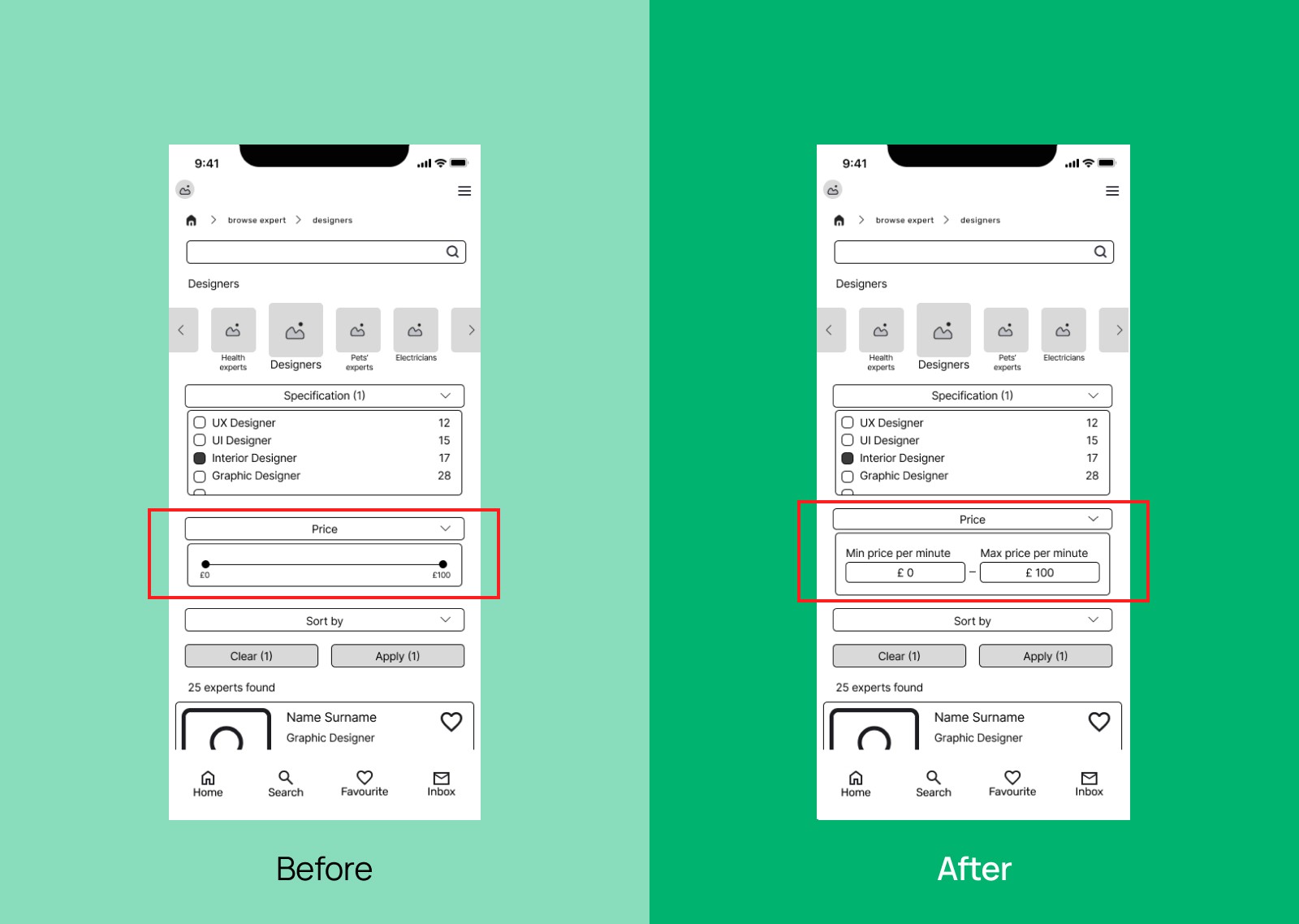
Error in adjusting price in filter.
Solution
Change the filter from dragging the dot to choosing min and max price.
Issue 3
Error in adjusting price in filter.
Solution
Change the filter from dragging the dot to choosing min and max price.
Preference Test
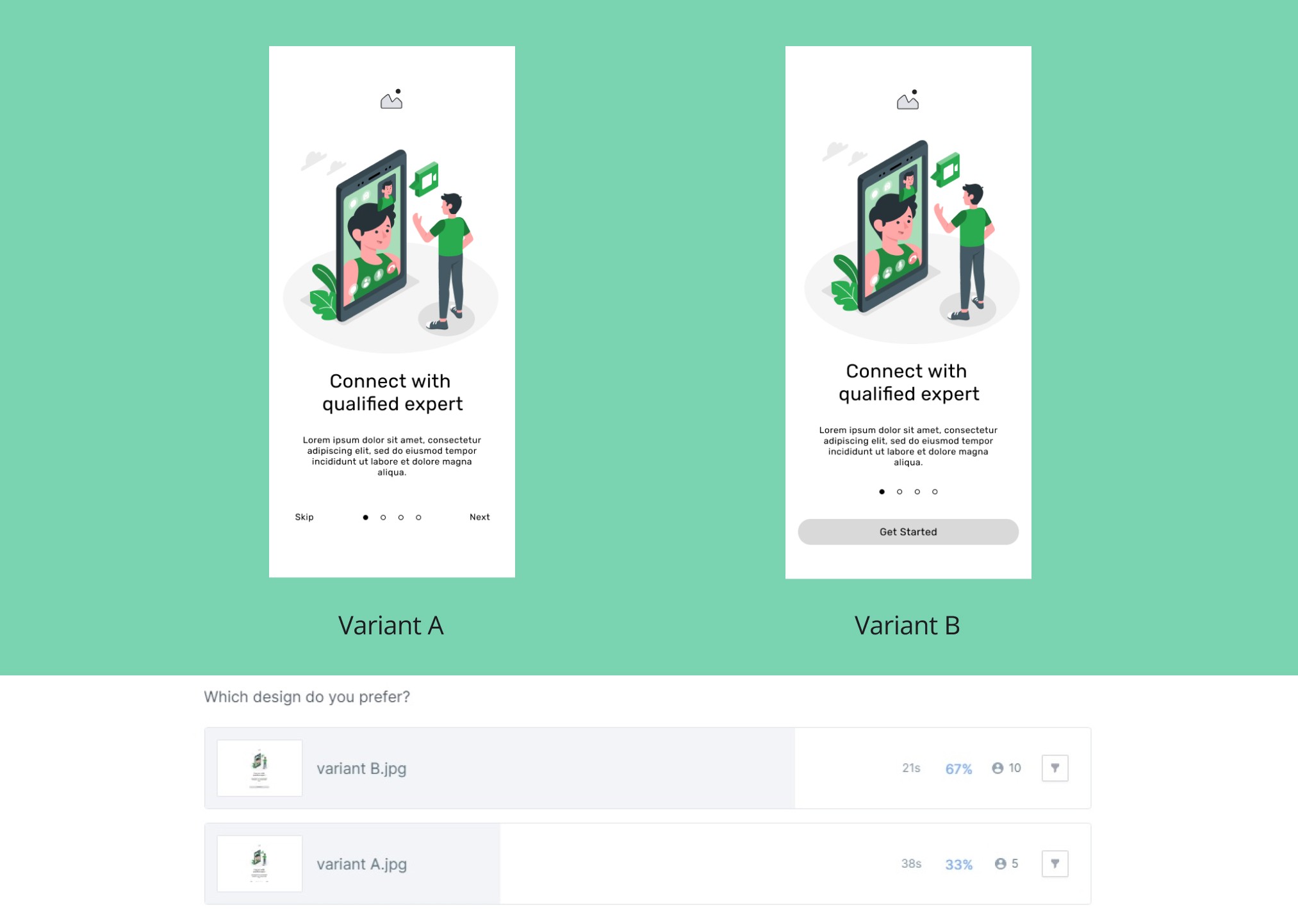
While creating pages for the onboarding process, I couldn't decide between navigation options, so I conducted a preference test. Out of 15 participants, 10 preferred variant B because it was more clear and easier to start an app. I implemented changes based on the results.
While creating pages for the onboarding process, I couldn't decide between navigation options, so I conducted a preference test. Out of 15 participants, 10 preferred variant B because it was more clear and easier to start an app. I implemented changes based on the results.
High-fidelity Wireframes
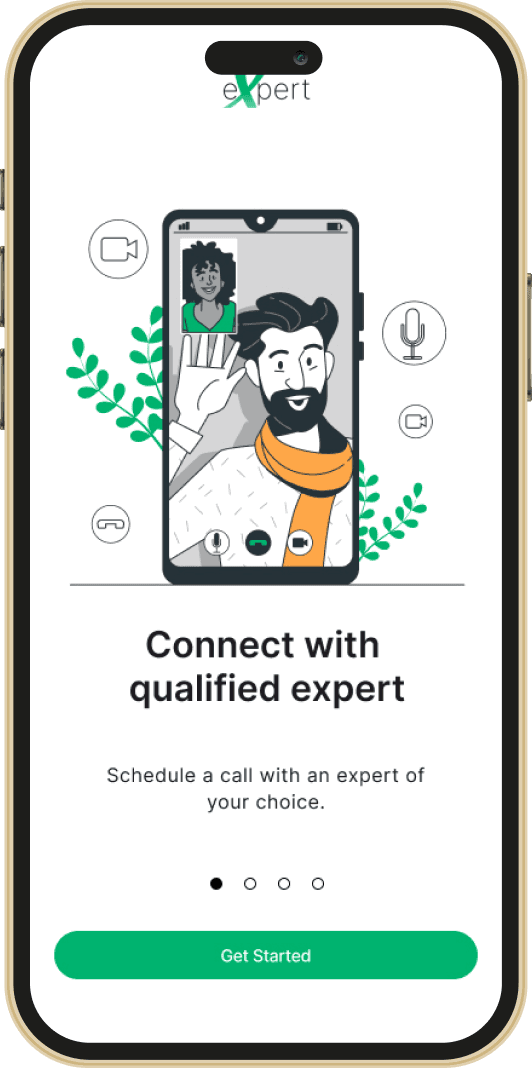
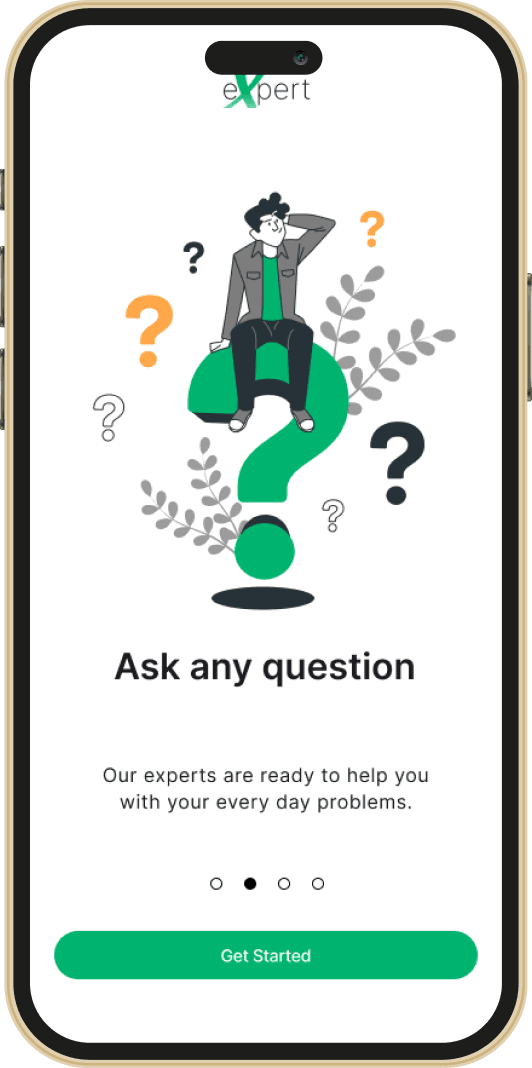
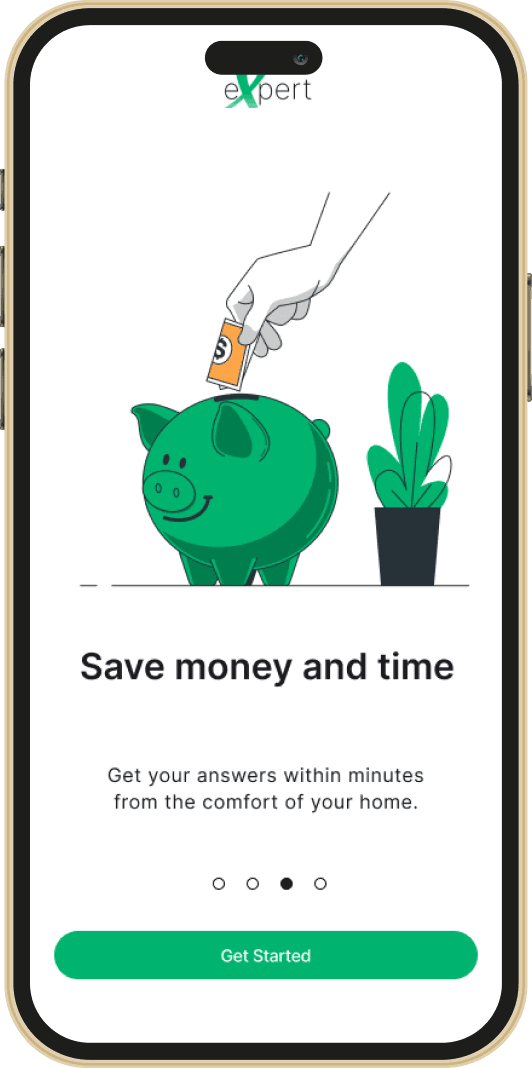
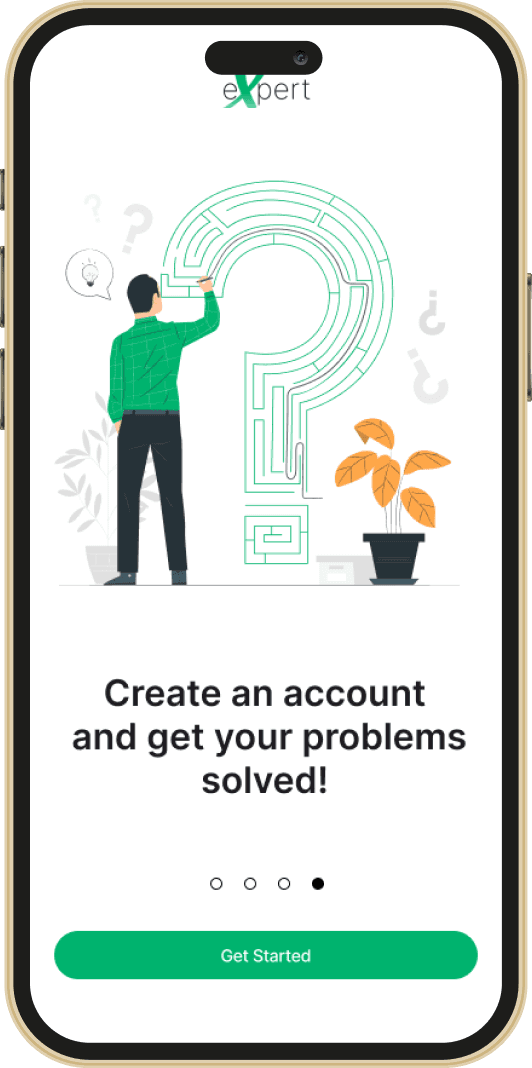
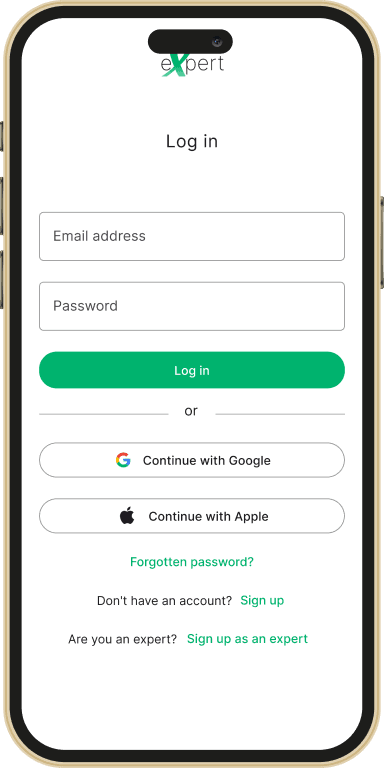
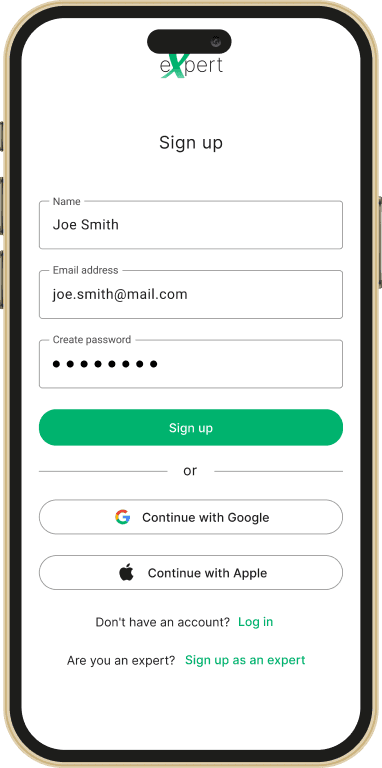
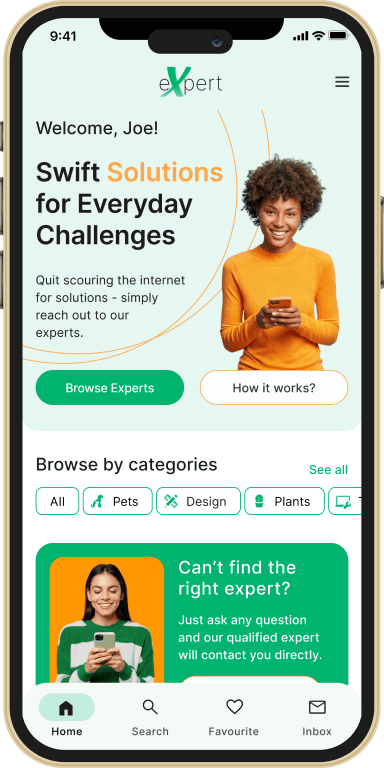
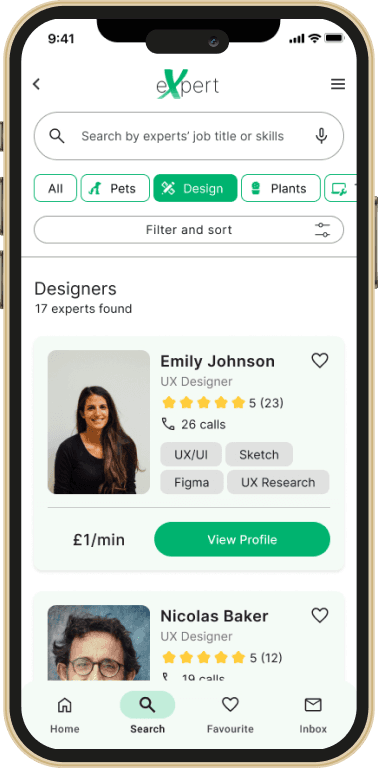
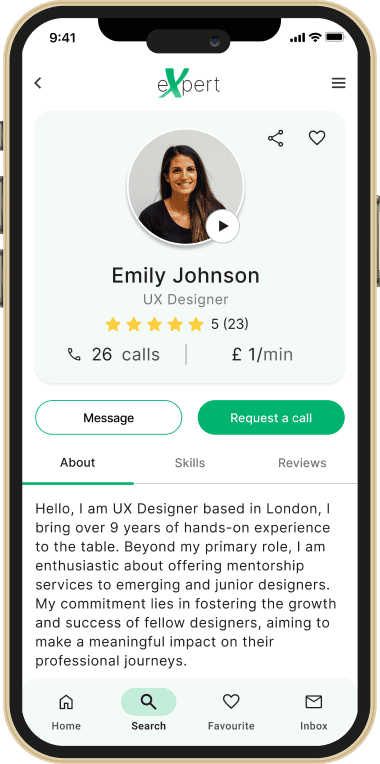
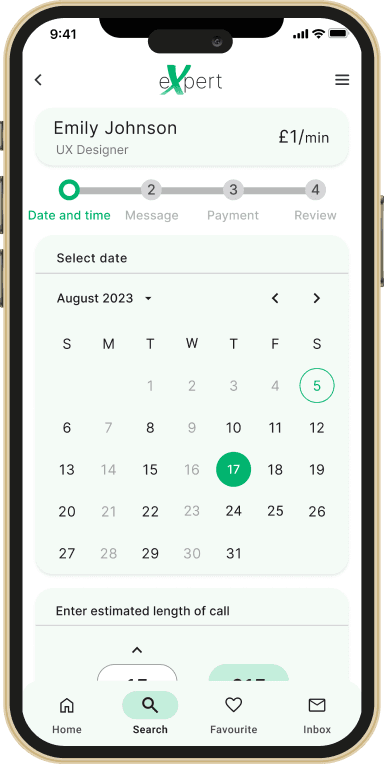
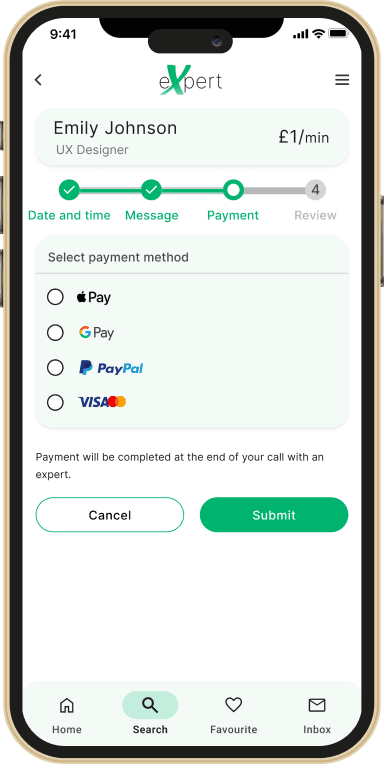
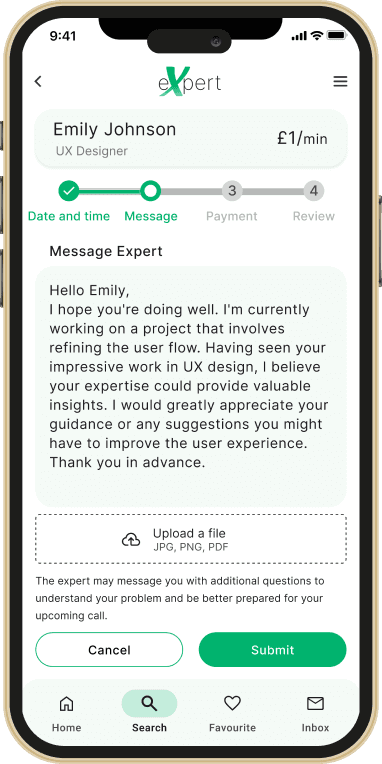
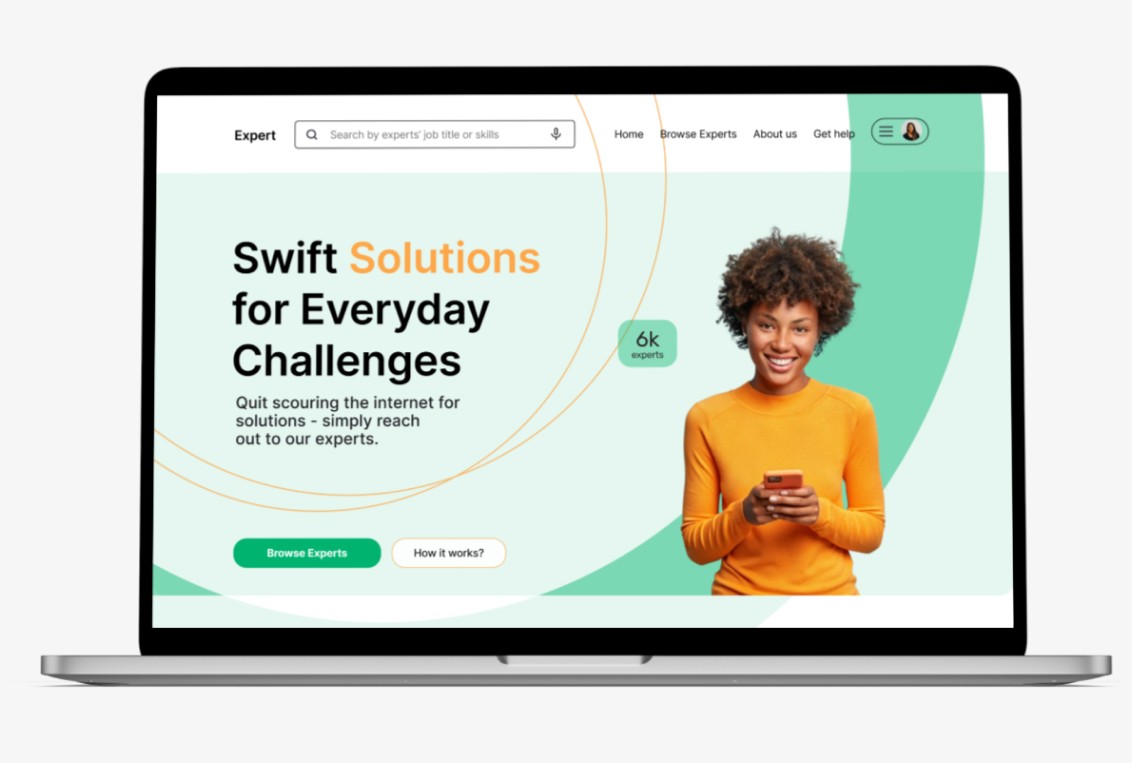
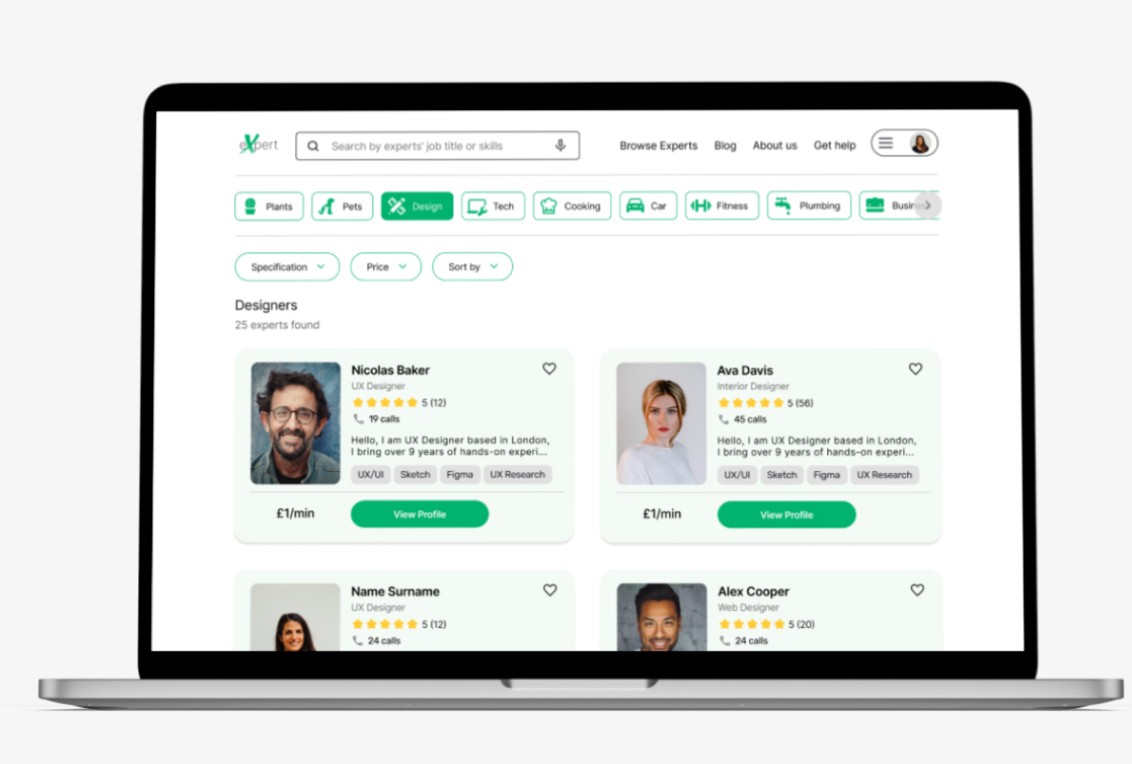
I started to move my focus on creating user friendly user interface. To ensure accessibility, consistency, and follow up-to-date trends I implemented Gestalt principles and followed Material Design Guidelines.
I started to move my focus on creating user friendly user interface. To ensure accessibility, consistency, and follow up-to-date trends I implemented Gestalt principles and followed Material Design Guidelines.
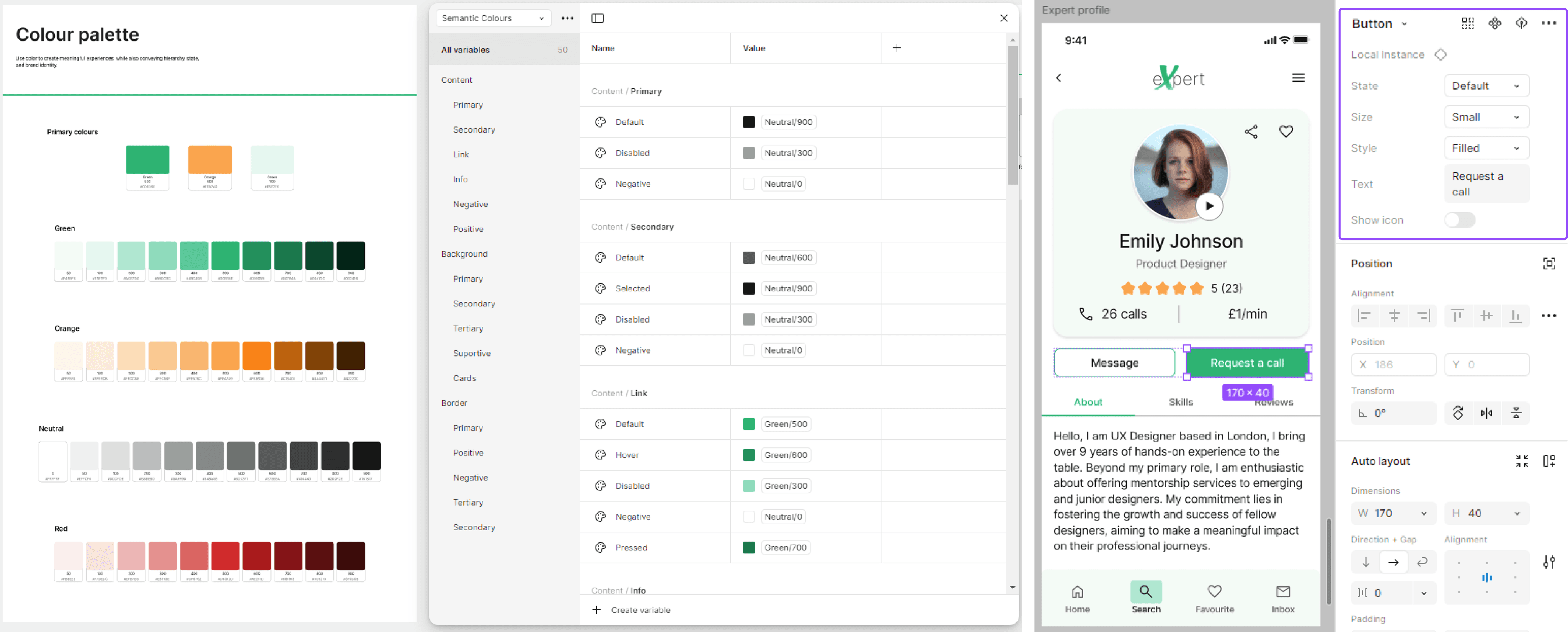
Recognising that users who are seeking solutions to their problems might be dealing with stressful situations, I opted for warm orange and cool green. This combination create a balanced composition and evoke a feeling of calmness.
Recognising that users who are seeking solutions to their problems might be dealing with stressful situations, I opted for warm orange and cool green. This combination create a balanced composition and evoke a feeling of calmness.

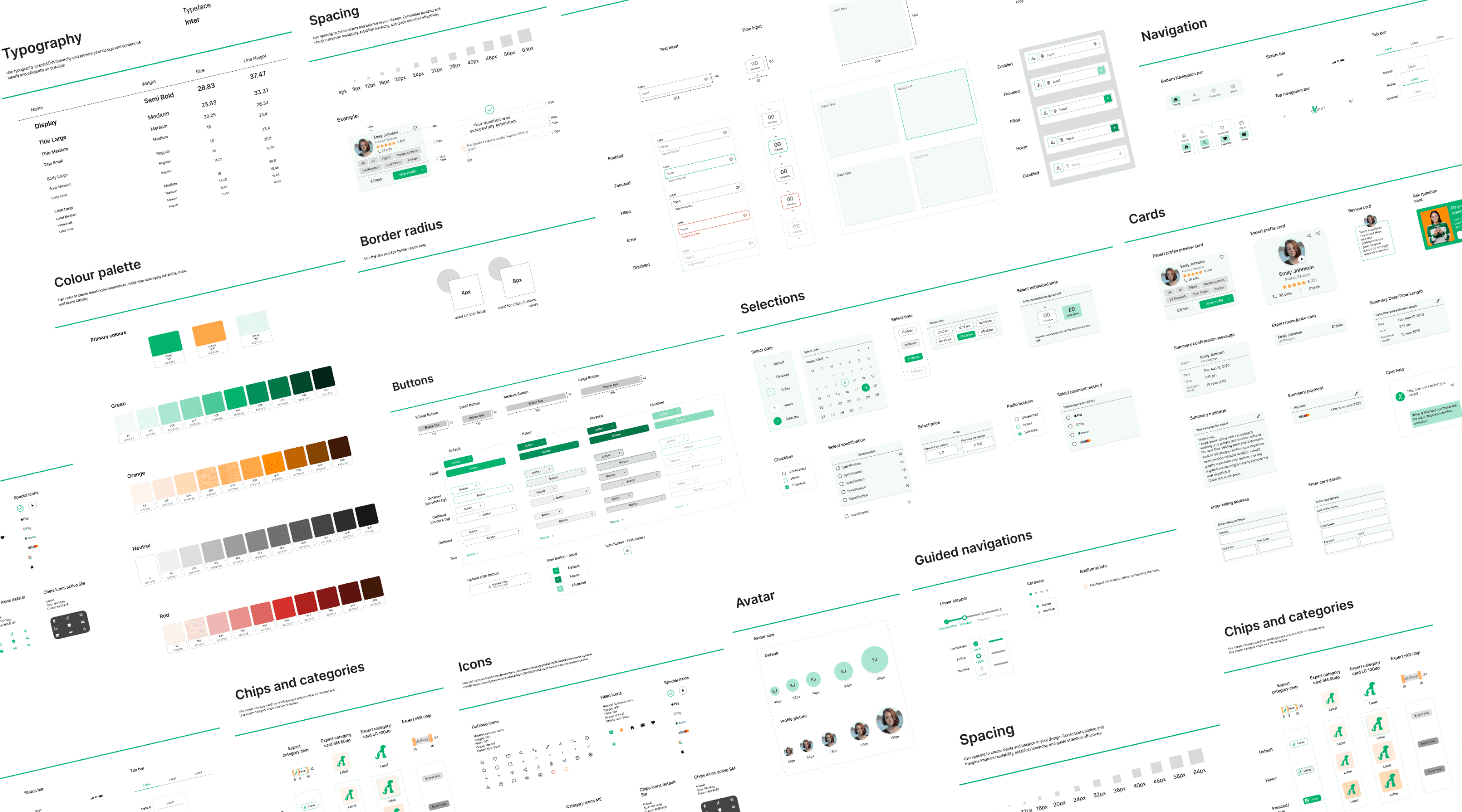
Design System
I created design system in Figma using atomic design methodology.
This system help me and other team members continue the design development process more efficiently.
I created design system in Figma using atomic design methodology.
This system help me and other team members continue the design development process more efficiently.

Next Steps
Next Steps

AI Implementation
Integrating AI features into the Expert app could enable automatic responses to user questions. Additionally, AI could automatically identify and suggest relevant experts if the generated answers are deemed unsatisfactory. Iterative design process would be used to test this hypothesis.

Collaboration
I would involve developers from the early stages of the design process. This collaboration would ensure user-friendly and technically feasible design solutions.
Next Steps
AI Implementation
Integrating AI features into the Expert app could enable automatic responses to user questions. Additionally, AI could automatically identify and suggest relevant experts if the generated answers are deemed unsatisfactory. Iterative design process would be used to test this hypothesis.
Collaboration
I would involve developers from the early stages of the design process. This collaboration would ensure user-friendly and technically feasible design solutions.

Thank you for scrolling!
Thank you for scrolling!
See other projects
Copyright 2024 by Terezia Bubanova